










TL;DR – Artificial intelligence (AI) offers a lot of benefits across industries, including graphic design services. However, it still takes human understanding and intuition to create visual assets that engage the audience.
Are you using AI in your workflow?
Data tells us that 88% of organizations have reported using AI in at least one business function in 2025, higher than the 78% adoption rate in 2024.
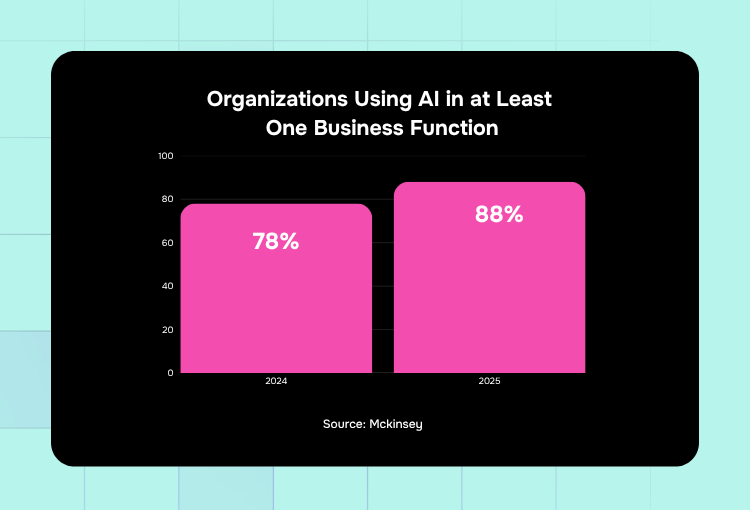
These numbers highlight the continuous rise of AI tools, which include graphic design service tools. But can it really replace professional graphic design for brands?
Let’s discuss how AI is changing the future of graphic design and how you can make the most out of it to boost your creative process.
What Are AI Tools in Graphic Design and How Do They Work?
AI tools in custom graphic design are software used to generate visual design. Instead of starting from scratch, these tools allow you to have an image from your prompt in seconds.
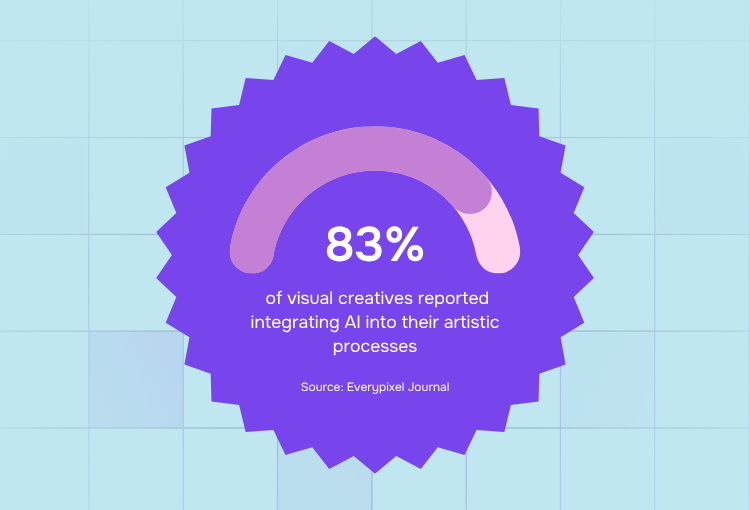
Statistics say 83% of visual creatives integrate AI tools in their process, highlighting the benefits it brings to the table, including quick ideation and rapid testing.
It’s crucial to note that AI tools, efficient as they may be, don’t have human design expertise, which is crucial in effective visual communication. But it certainly speeds up repetitive parts of the process, allowing humans to focus on creative decision-making and make it a big part of the design industry transformation this decade.
That said, it’s understandable why design-as-a-service platforms leverage AI to make their workflow and project delivery faster and more efficient.
Professional design services by the world's top 1% designers
Unlimited graphic design at a flat monthly rate
How Are AI Tools Changing the Design Industry Today?
Without a doubt, AI tools are changing how graphic design services work. Here’s how generative design tools are shifting everything from branding and design services to design agency services.
1. AI is making it faster to produce visual assets.
AI tools help a graphic design company or an individual creative automate parts of their design process, so they can deliver drafts faster.
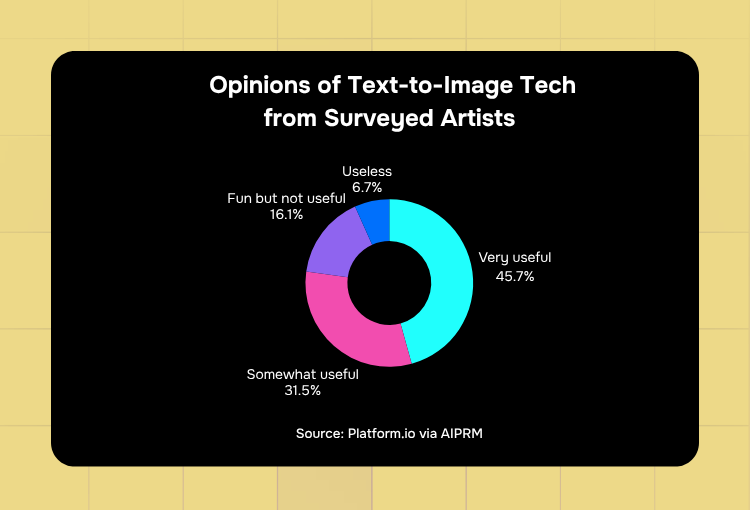
In fact, data reveal that 45.7% of artists surveyed found text-to-image technology useful, while 31.5% found it somewhat useful.
Instead of starting from scratch by hand, designers can generate parts of the design so they can focus on strategy, making AI tools efficient graphic design solutions for businesses.
2. The demand for professional graphic design services is increasing.
It’s easy to assume that the availability of animated image AI tools has depleted the popularity of professional creative services. However, the opposite is true. With more and more people using AI tools for visual assets, smart brands are turning to digital design services for visuals that look and feel human.
The more brands use AI tools, the more they realize that:
- AI alone creates inconsistent results
- Generated images lack brand cohesion
- Images generated using AI tools look a lot alike
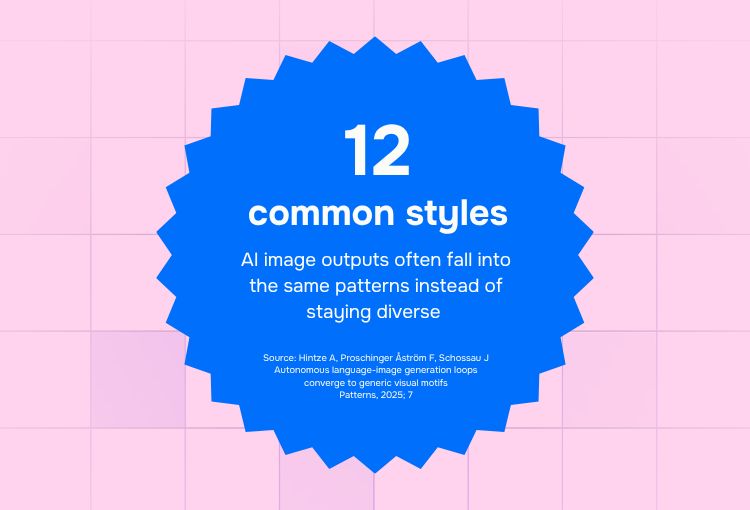
This last realization complements recent data. An academic study found that AI image outputs look similar to one another and only fall under 12 common style categories.
3. Design-as-a-service is becoming the new model.
With brands discovering that AI alone creates fast but “soulless” images, more businesses are now adopting a human + AI collaboration approach in the form of design-as-a-service.
At Penji, for instance, we harness the power of AI through:
- AI tools powering our workflow
- An AI matchmaker that pairs the perfect design team for every client
- An option for clients to let designers use “light AI assistance” to suggest ideas, colors, layouts, or provide references
Despite the adoption of these AI capabilities, each and every design produced by Penji stays human.
Are AI Tools Replacing Professional Designers?
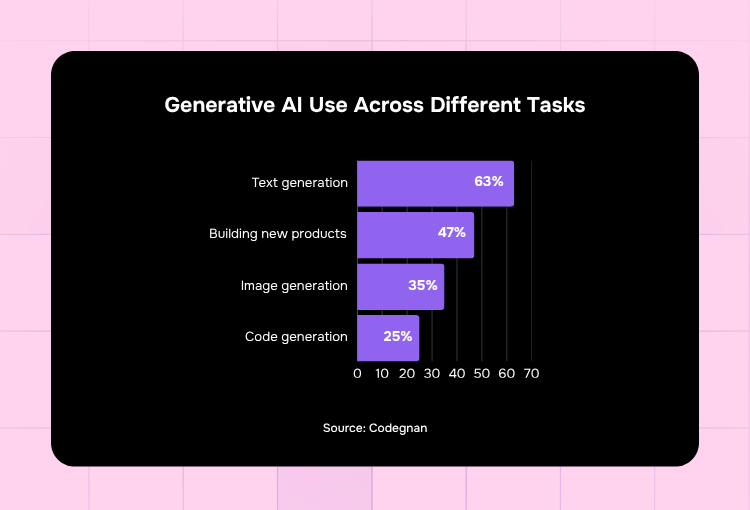
Without a doubt, AI offers valuable benefits in graphic design services. It’s not surprising that 35% of users utilize it for image generation, which is the third most common use, next to text generation and building new products.
Which leads us to the question: are AI tools replacing professional designers?
The simple answer is no. Here are a few reasons why:
- Brand understanding. AI doesn’t fully understand your brand identity and positioning. Though it can base its design on the brand details you put on the prompt, at the end of the day, it’s a machine that lacks human context.
- Creative judgment. Because AI isn’t human, it doesn’t have the human experience of being an audience. That alone makes it impossible for the software to relate to any human feelings the brand is trying to evoke.
- Consistency. AI image generations aren’t consistent. And as highlighted by the academic study previously mentioned, outputs often fall under the same styles, making it harder to project a unique brand personality.
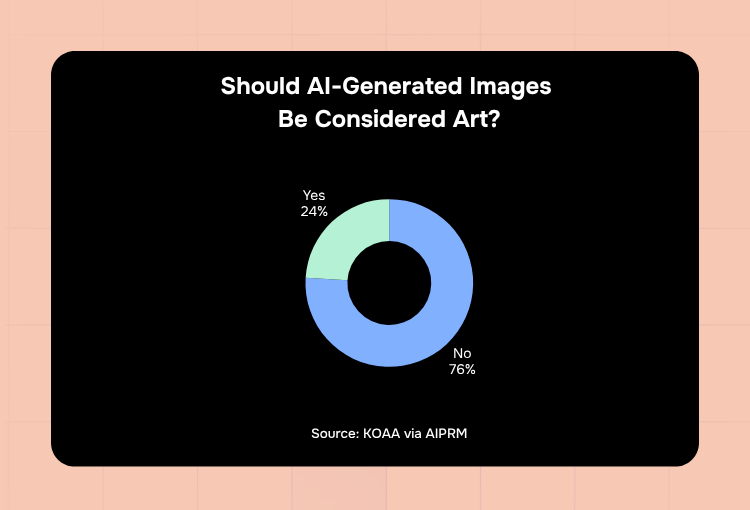
Because of these very limitations, most people don’t see the authenticity in AI-generated images. In fact, data reveals that 76% of respondents don’t think AI-generated images should be considered art.
How Can Businesses Use AI Without Hurting Their Brand?
Despite the limitations of AI tools, you can certainly use them to streamline your workflow without hurting your brand. Here’s a step-by-step guide to integrate AI into your process while ensuring that your designs stay human:
1. Use AI to Create Your Project Brief
You can use ChatGPT, Gemini, Grok, or any other AI tool to create a clear project brief for your human designer. When prompting your AI tool, make sure to include the following requirements:
- Your design format
- The visual asset’s goal
- Target audience
- Message to highlight
- Style preferences
- Final file type, dimensions, resolution, etc.
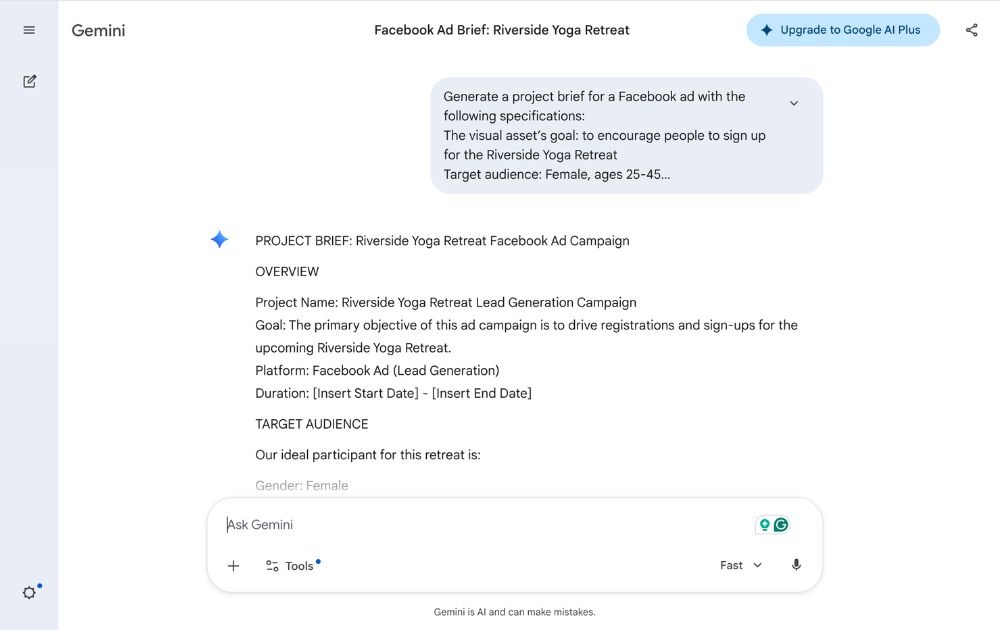
You can also prompt your AI tool to ask you any other questions to ensure that you’ve got everything covered. To ensure that you and your design team are on the same page, you can also use AI to generate visual boards for inspiration. Repeat this process should you need any revisions.
Possible Prompts:
- Generate a project brief for a [design project type, e.g., logo, packaging design] with the following specifications: [insert specs mentioned above]
- Ask me for any other information I haven’t mentioned that needs to be included in the project brief.
- Generate a visual inspiration board for a [industry] brand with a [style] aesthetic. Include a mix of brand elements, including imagery, product packaging, [other images you need]. The mood should reflect [brand personality, e.g., dynamic, minimalist, playful] look.
2. Hand Over the Project to a Human Designer
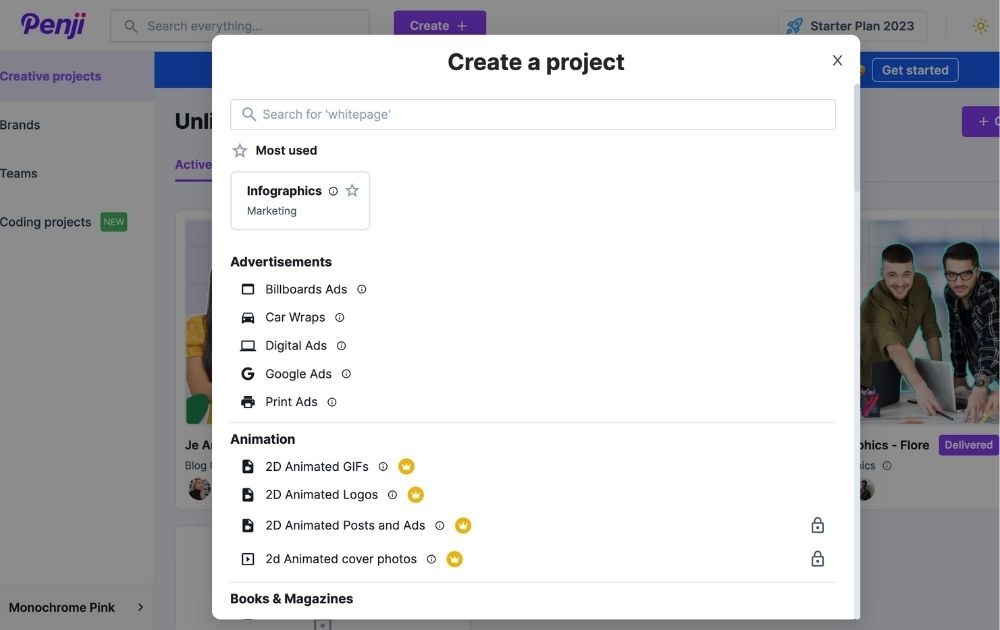
Review the prompt and hand over the brief to your design-as-a-service platform. Your human design team will handle the rest.
The Bottom Line
Amid the onslaught of creative industry trends brought by AI, the future of the design industry is still human. With the right approach to AI and graphic design services, you can harness the power of technology while keeping your designs human and engaging.
If you’re looking for an unlimited graphic design service by humans, for humans, reach out to Penji, powered by the world’s top 1% talent.
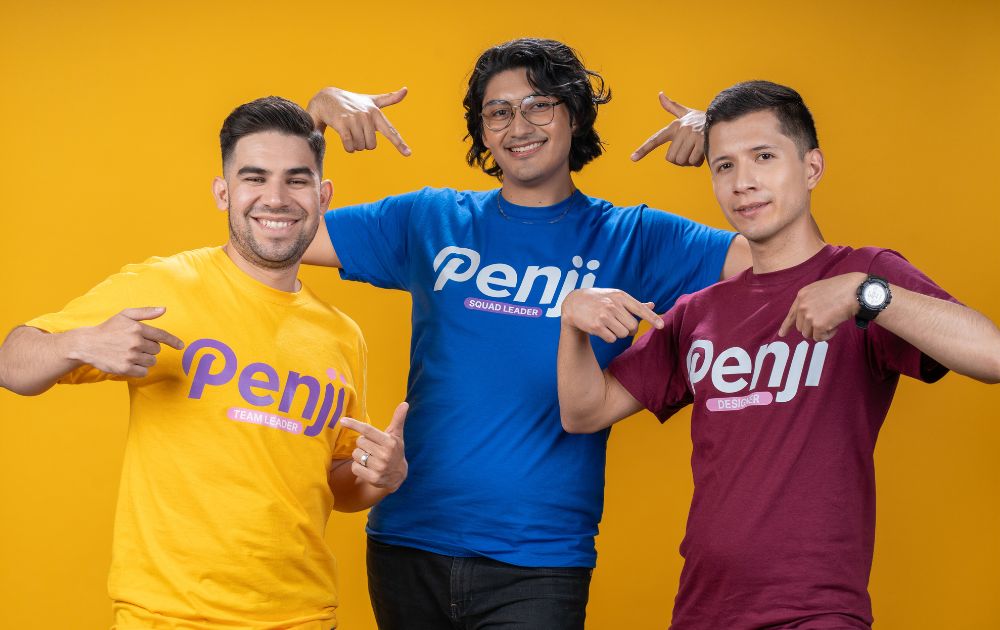
Check out Penji’s portfolio to see why Penji is the chosen graphic design services platform among brands of all sizes.
Frequently Asked Questions (FAQs)
No. Even the most advanced AI graphic design software can’t replace human design intuition and understanding of brand identity.
Purely using generative design for businesses can make the brand look generic and lack a human touch, making it unrelatable to the audience.
Though you can use the best AI designer platforms for quick image references for visualization, it’s still advisable to hire a graphic designer or use unlimited graphic design services powered by humans if you need visuals for high-quality results.
About the author

Carla Deña
Carla is a journalist and content writer who produces stories for both digital and legacy media. She is passionate about creativity, innovation, and helping small businesses explore solutions that drive growth and social impact.






