









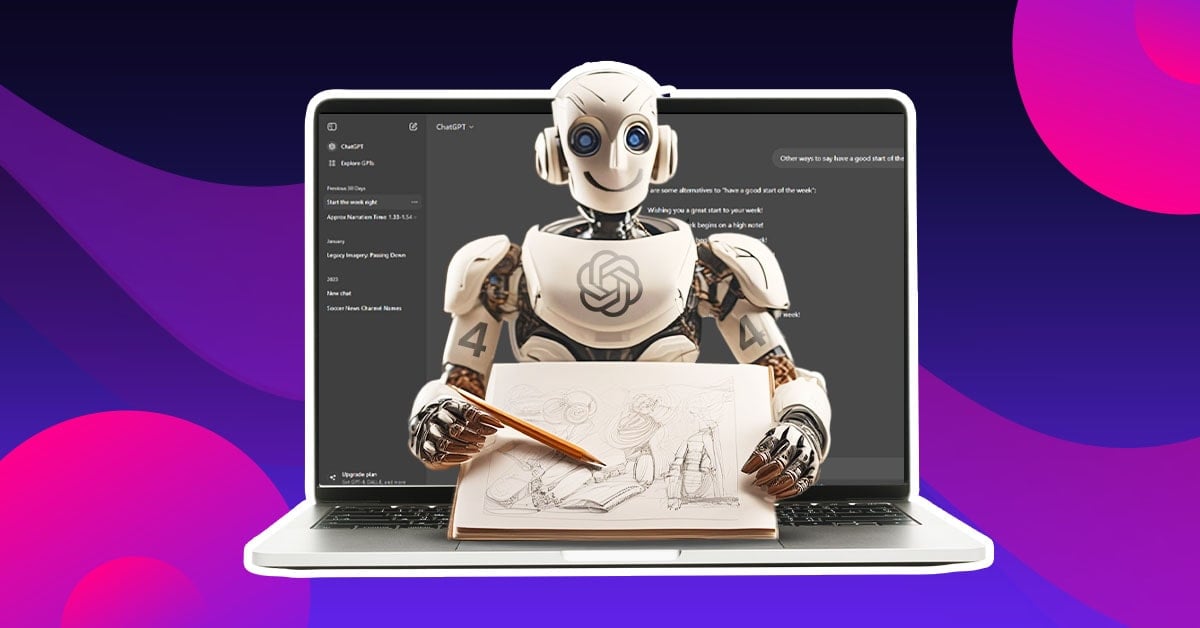
TL;DR: ChatGPT can generate images, social media graphics, and visual mockups, but it’s not the same as professional graphic design services. It handles fast ideation well. For brand-ready, strategy-backed design work, human designers still lead.
Can ChatGPT create graphic design work? Yes, it can generate images, social media visuals, marketing mockups, and logo concepts using AI models like GPT Image 1.5 and GPT-4o’s native image engine. It works best for quick concept exploration and early ideation. For polished, brand-consistent graphic design services, professional designers and dedicated AI design tools still deliver stronger results.
A startup founder opens ChatGPT, types “create a logo for my coffee brand,” and gets something back in seconds. It looks decent enough.
So the question follows naturally: do they still need a designer? The answer is more interesting than a simple yes or no.
ChatGPT’s visual capabilities have grown significantly through 2025 and into 2026, but so has the gap between what AI can generate and what a real brand actually needs.
This post breaks down where ChatGPT fits in design work today, how it compares to other tools, and where it still falls short.
How ChatGPT Has Evolved as a Design Tool
From DALL-E 3 to GPT Image 1.5: The ChatGPT Image Timeline
ChatGPT’s image generation started as a fairly basic text-to-image feature powered by DALL-E 3. It was useful for rough mockups but struggled with anything requiring precise instruction following, readable text, or consistent editing across multiple generations.
In March 2026, OpenAI replaced DALL-E 3 in the ChatGPT image generator with GPT-4o’s native image-generation capabilities, marking an architectural shift from retrofitted integrations to purpose-built visual synthesis.
The result was meaningfully better.
GPT-4o accurately renders complex text within images, including readable typography and multi-line passages, eliminating the garbled text problem that made DALL-E 3 images immediately identifiable as AI-generated.
Before that, in December 2025, OpenAI launched GPT Image 1.5 with stronger instruction following, more precise editing, and generation speeds up to four times faster than previous models.
GPT Image 1.5 brought improved capabilities for changing object colors, accurately adjusting lighting, repositioning elements, and erasing people or objects from a scene.
The jump from GPT-3.5 to GPT-4o to GPT-5 and now GPT Image 1.5 represents a meaningful shift. ChatGPT went from a chatbot that could vaguely sketch an idea to a tool that can produce genuinely usable visual assets.
Still, usable is not the same as professional.
How AI Tools Actually Generate Designs
Understanding what is happening under the hood helps set the right expectations when using AI for graphic design.
AI image generators, including the ones powering ChatGPT, are built on diffusion models. These models are trained on billions of images and learn to reconstruct visuals by understanding patterns in color, shape, composition, and style.
When a user types a prompt, the model converts that text into a sequence of visual predictions and progressively refines a noisy image into something coherent.
ChatGPT adds a language layer on top of this. Because it understands natural language so well, it can translate a vague, plain-English request into a detailed internal prompt and iterate based on follow-up instructions.
This is what makes it particularly useful for non-designers. A person can describe what they want in plain language, see a result, explain what’s wrong in plain language, and get a revised version, all without knowing anything about Photoshop or design software.
Penji’s page on generative design breaks down how this AI-driven creation process fits into modern design workflows.
Professional design services by the world's top 2% designers
Unlimited graphic design at a flat monthly rate
ChatGPT vs. Other AI Design Tools in 2026
ChatGPT is not the only player in this space, and it’s not always the best choice for every design task. Here’s how it stacks up against the major tools available today.
Midjourney V7 still leads the pack when it comes to pure artistic quality. Midjourney reliably delivers four strong compositions from a single prompt and handles stylistic direction. From photorealism to watercolor to cyberpunk illustration with a range and quality that competing tools struggle to match.
It’s the go-to for editorial imagery, mood boards, and concept art. The tradeoff is that it’s harder to control and doesn’t offer the conversational iteration loop that ChatGPT does.
Adobe Firefly takes a different approach entirely. Firefly integrates directly into Photoshop and Illustrator, producing generative fills, background extensions, and object replacements that match the quality of manually produced assets.
For designers already working inside Adobe Creative Cloud, it’s the most practical AI upgrade to an existing workflow. It’s also the safest choice legally, since Adobe trained Firefly exclusively on licensed Adobe Stock images and public domain content, giving it a commercial safety advantage that matters for agencies and brands.
Canva Magic Studio is the friendliest option for non-designers. It handles resizing, background removal, and content generation directly inside the design canvas, making it ideal for social media teams and small business owners who need quick marketing graphics without a steep learning curve.
Ideogram wins when readable text inside images is the priority. When it comes to putting actual, readable text in images, Ideogram is the clear choice, with other tools still struggling in comparison.
ChatGPT’s primary value in graphic design is not the standalone quality of its outputs but the conversational iteration loop. It allows designers to describe a need in plain language, get an output, explain what’s wrong conversationally, and iterate toward what they want.
For teams already using ChatGPT in their broader workflow, this makes it a practical tool for quick mockups and concept direction before moving to a specialized tool.
Penji’s breakdown of the best AI graphic design software goes deeper into how these tools compare for different use cases.
Where ChatGPT Actually Helps in a Design Workflow
ChatGPT earns its place in a design process at specific stages, and understanding those stages makes it far more useful.
For early concept exploration, it’s genuinely fast. A designer or marketer can generate ten visual directions in ten minutes, pick the most promising one, and bring that brief to a professional for execution. This saves time at the front end without compromising quality at the delivery end.
It also helps with social media asset ideation, quick illustrative mockups for presentations, and mood board generation. These are all tasks where “good enough to communicate the idea” is the goal, not “ready to publish.”
Design as a service models like Penji’s benefit from this kind of AI-assisted front-loading too. When clients come in with clearer visual direction, the briefing process gets faster and the final work lands closer to the mark on the first submission.
Why AI Graphic Design Tools Still Fall Short of Human Designers
Here’s where it gets honest. ChatGPT and its competitors are impressive tools. But they’re not designers. The gap shows up the moment a project requires more than a single image.
Brand consistency is one of the clearest examples. A human designer working with a brand will internalize its personality, color psychology, typographic voice, and competitive context. Every asset they produce ties back to a coherent identity.
AI tools generate one image at a time.
They do not hold brand memory across sessions, and getting consistent results across a full suite of assets, like a website, social media kit, sales deck, and email header, requires significant manual oversight.
Then there’s the question of strategy. ChatGPT doesn’t actually see the image it generates. It works with patterns and probabilities, not intention or visual context.
That means if you say “make it look happier,” it might just brighten the colors. It doesn’t truly grasp emotion or artistic nuance the way a human designer would.
Typography is another known weak point, though improving. Getting precise, polished type that works within a layout still requires human hands. And anything involving spatial logic, like a product label that needs specific text in specific zones, can produce inconsistent outputs even with detailed prompting.
Finally, there’s accountability. When a brand visual goes wrong, a professional designer can explain why a choice was made and how to fix it.
AI doesn’t offer that.
The future of graphic design isn’t AI replacing designers. It’s designers who understand AI using it to work faster on the right things, and bringing in professional graphic design services when the stakes matter.
According to HubSpot’s research on brand consistency, consistent brand presentation can increase revenue by up to 33%. That kind of consistency still requires human creative direction to maintain.
The Honest Answer for 2026
Can ChatGPT create graphic design work? Yes, and it does so better than ever in 2026. The jump from DALL-E 3 to GPT Image 1.5 to GPT-4o’s native generation represents real progress, particularly in text rendering and instruction following. But generating an image and creating a brand are still two different things.
For quick exploration, early concepts, and solo projects where speed matters more than precision, ChatGPT is a genuinely useful tool. For anything client-facing, brand-defining, or built to last, it’s a starting point, not a finish line.
The strongest workflows in 2026 combine AI speed with human judgment. Penji’s unlimited graphic design services are built exactly for that: fast, professional, and brand-ready.
When the work matters, it pays to work with people who understand design as a discipline, not just a prompt.
Ready to get design work that’s built for your brand and not just your brief? See how Penji works.
Frequently Asked Questions
Not fully, and not in 2026. ChatGPT can generate images quickly and iterate based on plain-language feedback, which is genuinely useful for early ideation and rough mockups.
But it doesn’t hold brand memory, understand strategy, or produce the kind of consistent, polished work across an entire visual identity that a professional designer delivers. It’s a fast starting point, not a professional finish.
The most capable version currently available is GPT-4o’s native image engine, which replaced DALL-E 3 in March 2026. It handles text rendering, precise edits, and complex compositions better than earlier models.
GPT Image 1.5, launched in December 2025, also brought meaningful improvements in speed and instruction following. Plus subscribers get higher generation limits and access to the latest models before free users do.
Each tool has a different strength. Midjourney produces the highest artistic quality for conceptual and editorial imagery.
Adobe Firefly is the safest choice for commercial work since it’s trained on licensed data and integrates directly into Photoshop.
ChatGPT’s advantage is its conversational workflow. It’s easier for non-designers to use and allows natural back-and-forth iteration. Most professional design teams end up using more than one tool depending on the task.
The main limitations are brand consistency, creative strategy, and typography control.
AI tools generate individual images well but struggle to maintain a coherent visual identity across a full set of brand assets.
They don’t understand why design decisions matter to a business, only how to match patterns from their training data.
For any project where the design needs to communicate something specific and consistent, human designers working with tools like Penji still produce stronger results.
About the author

Katrina Pascual
Katrina is a content writer specializing in graphic design, marketing, social media, and technology. In her spare time, she writes monthly personal blogs to practice her craft.






