










TL;DR – AI in graphic design allows users to save time and improve workflows through machine learning. However, it must be paired with human creativity to create meaningful and original designs.
Over the past few years, AI has become a part of many people’s daily routine, used in both personal and professional tasks. In fact, a study by the National Bureau of Economic Research found that 700 million people actively used ChatGPT weekly – that’s about 10% of adults around the world!
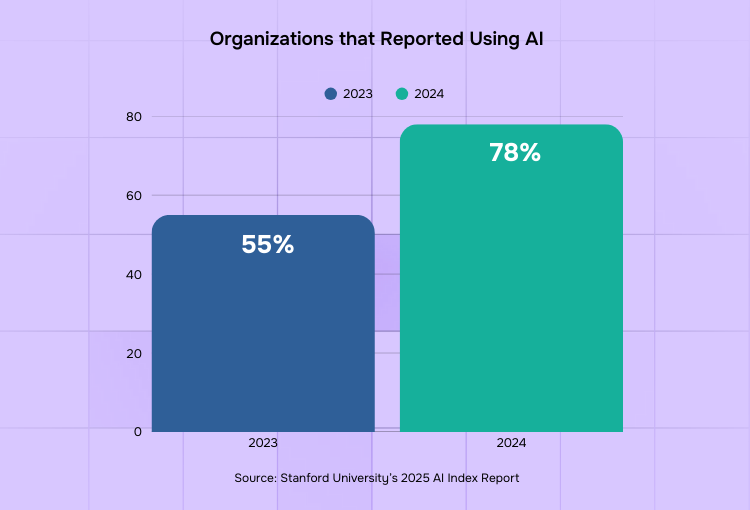
Alongside individuals, organizations have also adopted AI, with 78% of respondents using AI tools, as per Stanford University’s 2025 AI Index Report.
AI indeed has many use cases in business, including data analytics, customer service chatbots, and sales forecasting. But what about AI in graphic design? Can an AI art creator replace a human graphic design service?
In this article, let’s peel back the layers of using AI in creating visual assets and how you can achieve the perfect design blend of human creativity and AI efficiency.
But first, let’s tackle a controversial question:
Can AI Replace Graphic Designers, or Do You Still Need Humans?
The simple answer is no, AI can’t replace graphic designers, and yes, you still need humans for graphic design.
Here are a few studies that back it up:
- A 2024 research by Cambridge Judge Business School found that while ideas generated through human-AI collaboration were initially innovative, the level of creativity stagnated over time compared with human-only teams, which continued to refine their ideas.
- According to a 2025 Johns Hopkins University study, AI struggles to “read the room,” meaning it can’t fully understand human interactions.
- A study published in 2025 found that generative AI image creators defaulted to just 12 generic visual styles.
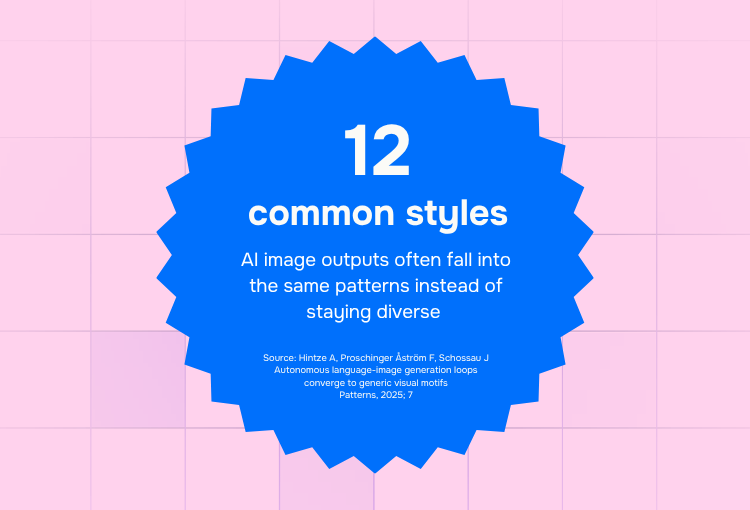
The studies mentioned above tell us something simple: the best AI designer may be able to generate ideas, but it struggles to improve them, and even more so to customize them to fit the human context.
Professional design services by the world's top 1% designers
Unlimited graphic design at a flat monthly rate

How Do AI Image Generators Compare Against Human Designers?
To test academic conclusions in real-world applications, I ran an experiment and compared two design projects:
- One generated via AI
- One from a human designer at Penji
I wanted a cover image for my blog titled “How to Choose the Best Graphic Design Company Online,” and I used the same brief/prompt for both:
“I need a custom cover image for this blog: [URL]. Please make sure that the cover image aligns with the blog’s aesthetics. For inspiration, here are a few Penji cover images that I admire: [URL1], [URL2], [URL3], [URL4], [URL5]. The cover images should be 1000 x 630 px with a file size of a maximum of 150kB.”
AI in Graphic Design Experiment Results
Just a few seconds after using the prompt in Gemini, I got this generative design:
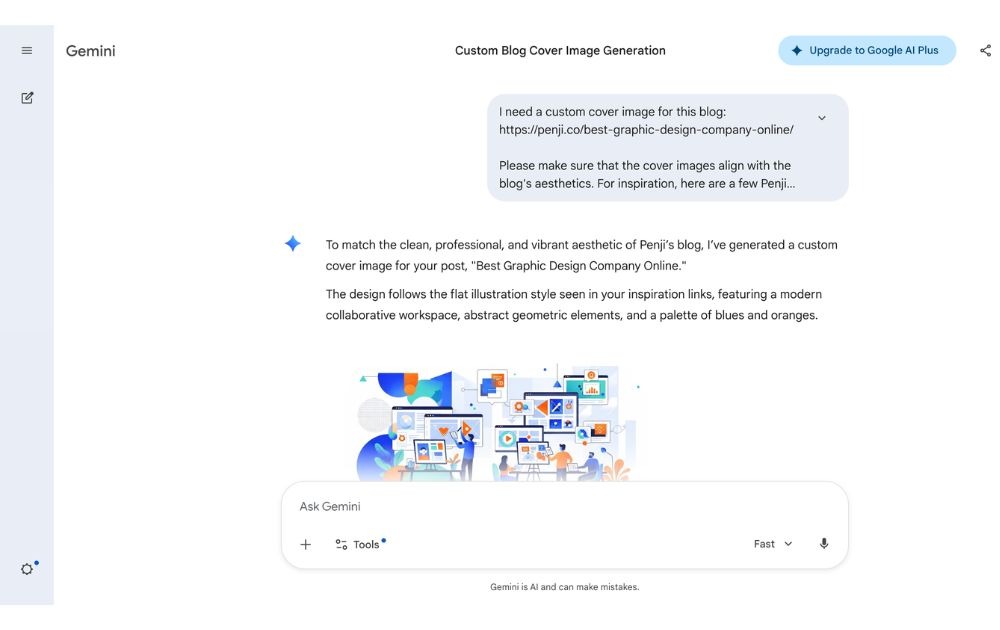
Just like most AI-generated graphics from AI graphic design software, the image Gemini created for me isn’t bad. It’s usable, for sure. Here’s a closer look:
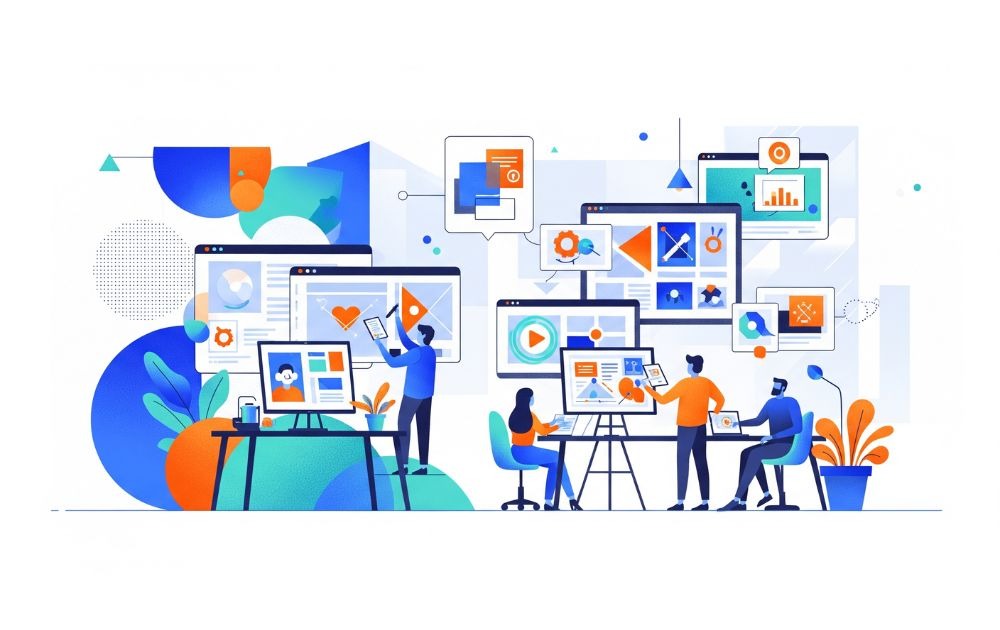
However, I noticed that even though I attached URLs of my peg images in the prompt, the resulting image didn’t really reflect them. In fact, the cover image would look out of place in the blog. The image looked very common and reminded me of the study saying AI defaulted to just 12 generic visual styles.
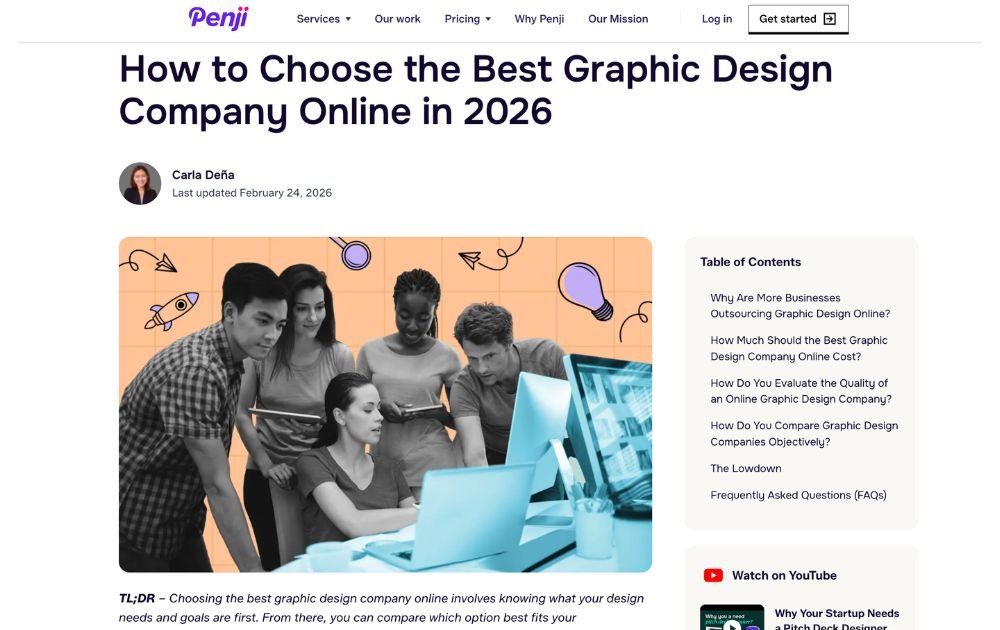
Now, for the Penji design. Instead of a few seconds, I had to wait until the next working day to receive the initial draft of my request via Penji’s design-as-a-service app. It definitely took longer than AI, but here’s what I got:
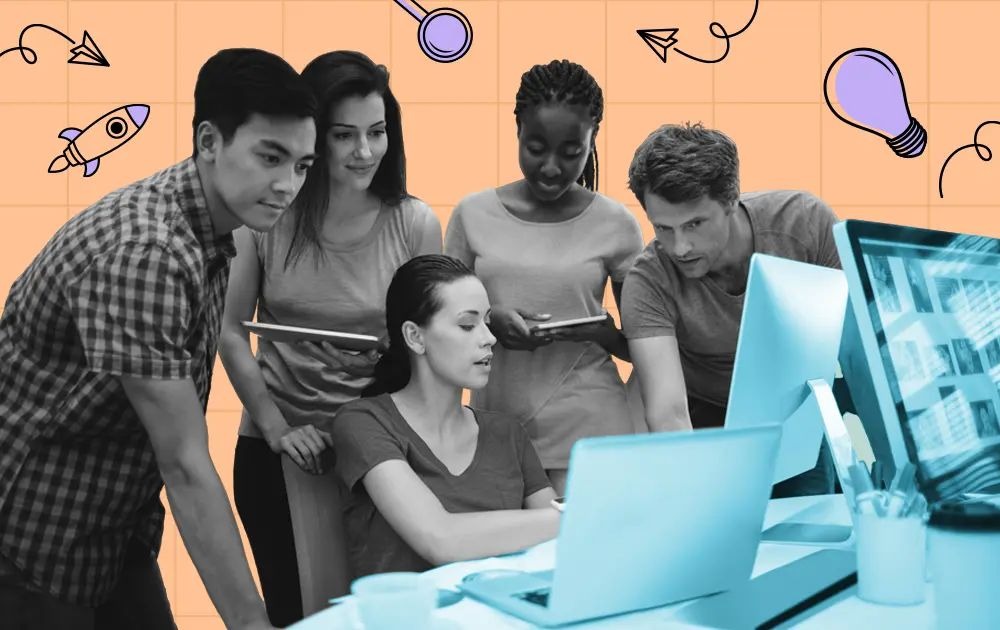
This image right here fits the context of the blog perfectly, showing a team who look like they’re in the process of choosing a graphic design company online. The design aesthetic is interesting but not distracting and suits the blog’s overall visual style when placed alongside other cover images.
If you were in my shoes, which of the two images would you use to reach more readers and keep them engaged?
I think it’s a no-brainer.
How Can You Use AI in Graphic Design?
Without a doubt, AI has both advantages and disadvantages, not just as a graphic design solution for business, but also as a tool for other tasks.
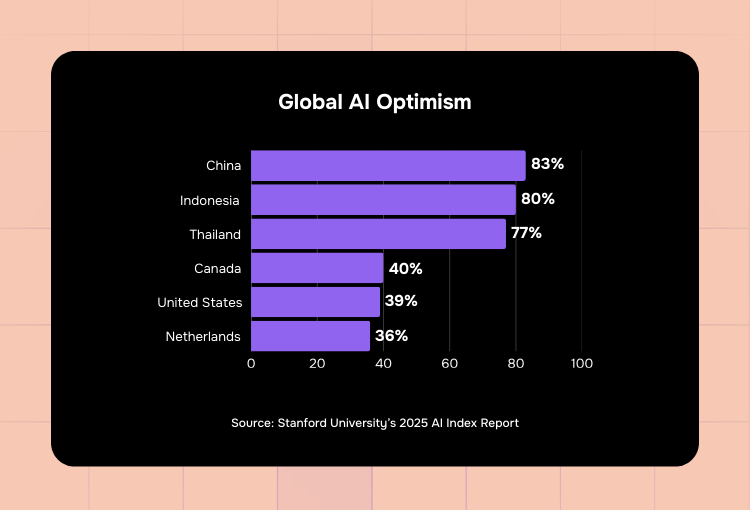
That said, it’s not surprising that people around the world have varied views about AI. In fact, those in Canada and the United States share only half the optimism of China and Indonesia when it comes to AI.
Despite its limitations, there’s no denying that AI is changing the future of graphic design if users know how to use it right.
So, what’s the magic AI in graphic design formula? It’s human design creativity + AI-powered workflow.
With a reliable human-backed graphic design service as your partner, you can use AI to:
1. Brainstorm Aesthetic Styles
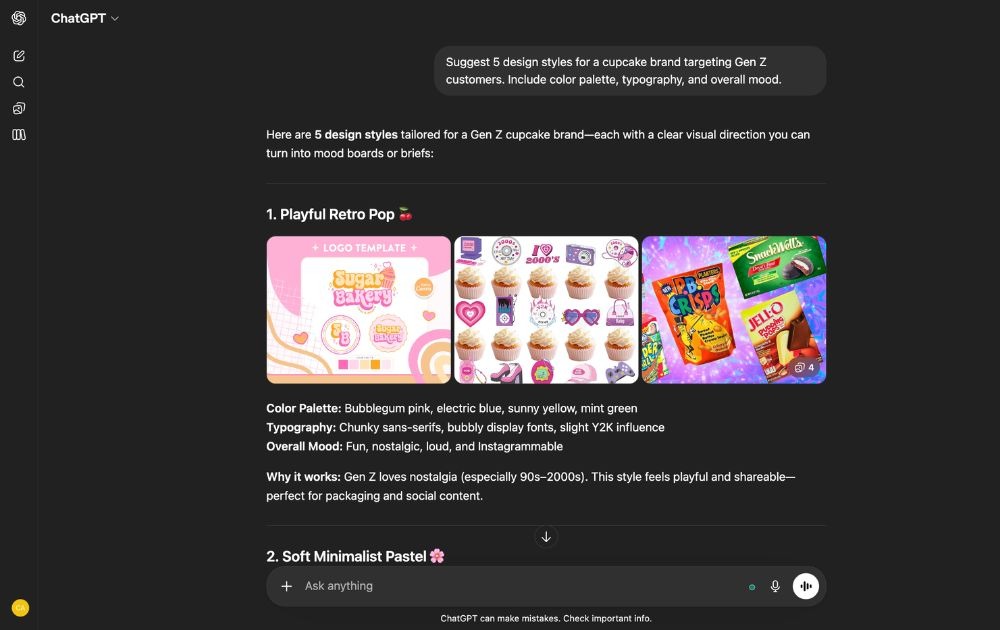
It can be challenging to visualize design styles without actual design assets, and this is where generative AI design can bring value. Use AI to generate visual references and save the ones you like to show to your designer when you send them the project brief.
- Sample Prompt: “Suggest 5 design styles for a [industry] brand targeting [audience]. Include color palette, typography, and overall mood.”
2. Generate Clear Design Briefs
You can use AI tools to write detailed project briefs based on your strategy, audience, and industry. A clear brief helps ensure that you and your designer are on the same page.
- Sample Prompt: “Write a detailed design brief for a [type of design] for [business], including audience, tone, message, and CTA.”
3. Speed Up Content Planning
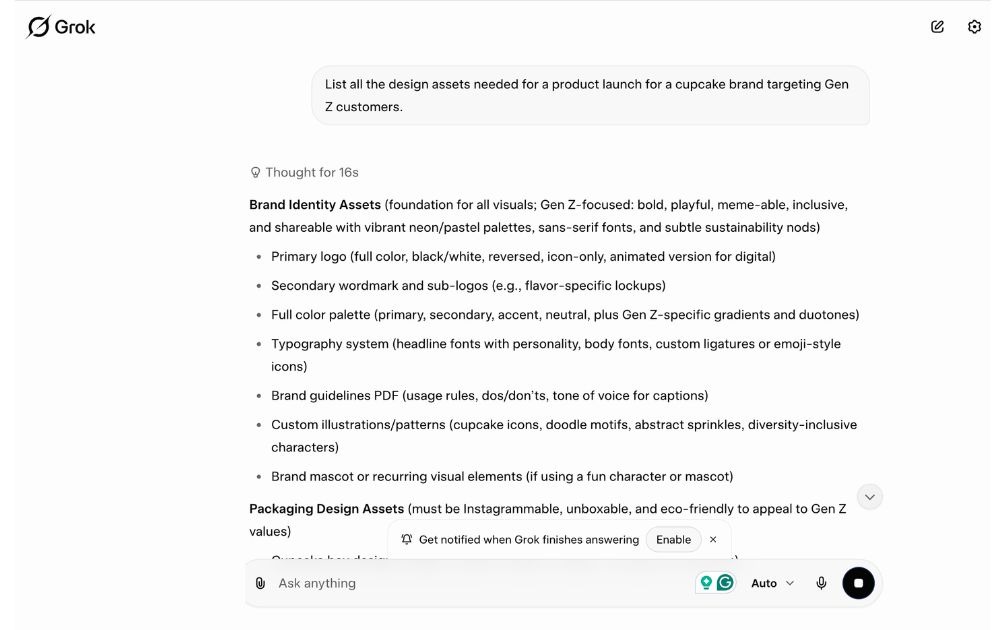
You can use AI to plan your content calendar ahead, making sure that you’re producing assets that address your audience’s needs. Having a content calendar ready also helps your on-demand design services provider to ensure that asset deliveries are aligned with your campaign milestones.
- Sample Prompt: “List all the design assets needed for a [campaign type: product launch, sale, event].”
4. Improve Feedback
Vague client feedback like “make it pop” or “improve this” can make revisions confusing. Use AI to fine-tune your comments and ensure that your feedback is actionable, saving time and reducing the back-and-forth.
- Sample Prompt: “Make this feedback more specific and actionable: [insert vague comment].”
The Lowdown
AI tools can’t replace human designers, but they can be valuable support tools to make the design process more efficient.
For brands looking for the perfect balance of human creativity and machine efficiency:
- Use AI to streamline workflow.
- Rely on human designers to bring your vision to life.

Ready to kickstart your graphic design automation journey? Reach out to Penji, powered by AI technology and backed by the world’s top 1% human designers.
View Penji’s portfolio and see why Penji is the preferred creative partner of brands around the world.
Frequently Asked Questions (FAQs)
AI in graphic design services refers to the use of artificial intelligence to assist in the design process, including generating ideas, crafting design briefs, and improving design workflows.
Businesses can use AI to create design briefs, generate mood inspirations, and streamline feedback to make it easier to communicate with graphic design service creatives.
Using AI to improve design workflows when working with unlimited graphic design services helps save time and effort and makes communication more efficient, resulting in better design results.
About the author

Carla Deña
Carla is a journalist and content writer who produces stories for both digital and legacy media. She is passionate about creativity, innovation, and helping small businesses explore solutions that drive growth and social impact.






