









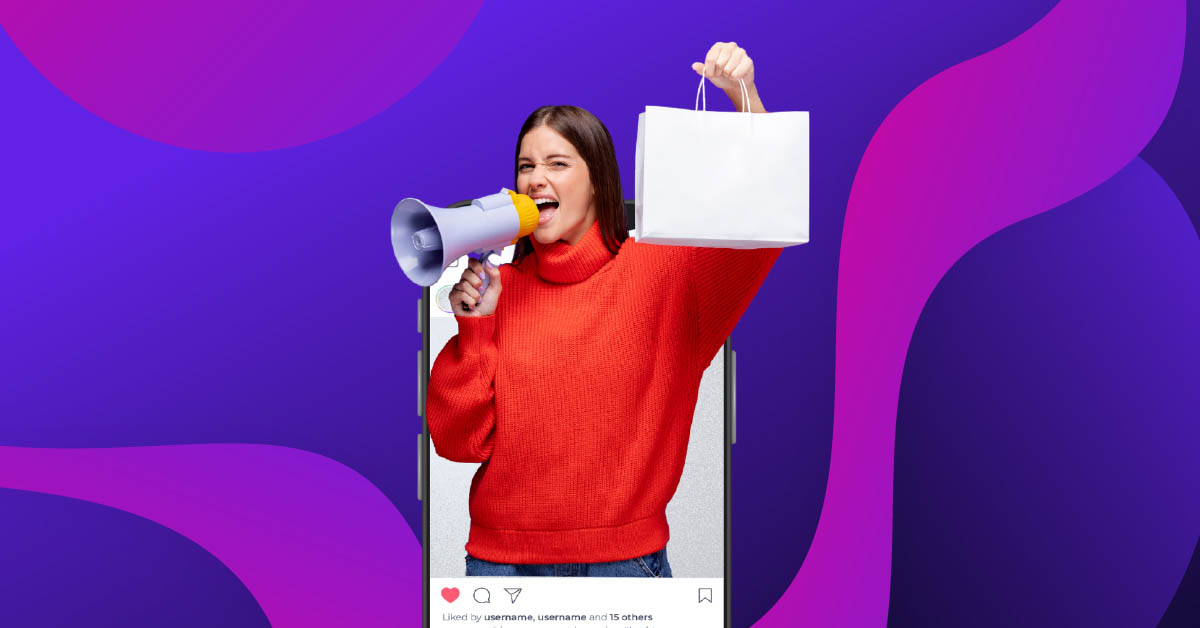
Creating effective ad designs requires understanding your audience, choosing the right ad type, and applying proven design principles. Focus on clear messaging, strong visuals, and strategic calls-to-action. Whether you’re designing for social media, print, or digital platforms, professional ad design services can help you create campaigns that drive real results.
How to Create an Ad Design
To create an ad design, start by defining your target audience and campaign goals. Choose the appropriate ad format (display, social media, print, or video), then develop a compelling visual concept with clear messaging. Use high-quality images, readable typography, and a strong call-to-action. Test different versions and refine based on performance data.
How to create an ad design that grabs attention and drives action? Start with a clear understanding of your audience, pair it with strong visuals, and deliver a message that resonates. Good ad design isn’t just about making something look pretty; it’s about creating a visual conversation that turns viewers into customers.
Every successful campaign starts with thoughtful design. Your ads need to work across multiple platforms, speak directly to your ideal customer, and stand out in crowded digital spaces. With the average person seeing thousands of ads daily, your design needs to earn attention within seconds.
The rise of web applications and interactive digital platforms has transformed how businesses connect with audiences. User-friendly, interactive designs aren’t just nice to have anymore; they’re expected. Your ad designs need to work seamlessly across devices, load quickly, and provide engaging experiences that keep people interested long enough to take action.
What Makes a Successful Ad Design?
Great ad design balances three core elements: visual appeal, clear messaging, and strategic placement. Your ad needs to stop the scroll, communicate value quickly, and guide viewers toward the next step.
Core elements of effective ad design:
Visual hierarchy directs attention to the most important elements first. Your eye should naturally flow from headline to image to call-to-action. Use size, color, and placement to create this path.
Color psychology influences how people feel about your brand. Blue builds trust, red creates urgency, and green suggests growth or health. Choose colors that align with both your brand and your campaign goals.
Typography affects readability and mood. Clean, bold fonts work for headlines while simpler styles suit body text. Mixing too many typefaces creates confusion; stick to two or three maximum.
White space gives your design room to breathe. Cramming too many elements into one ad overwhelms viewers. Strategic spacing actually increases comprehension and response rates.
Consistent branding builds recognition over time. Use your logo, colors, and style consistently across all ad formats so audiences immediately know it’s you.
Professional graphic design services can help you nail these elements while maintaining brand consistency across campaigns.
What Are the Types of Ad Design?

Different platforms and marketing goals require specific ad formats. Understanding which type fits your needs helps you allocate resources effectively.
1. Display Ads
Display ads appear on websites, apps, and social media feeds as banner images or interactive graphics. They come in standard sizes (300×250, 728×90, 160×600) and work best for brand awareness campaigns. These ads typically combine product images with short, punchy copy and clear calls-to-action.
2. Social Media Ads
Platforms like Facebook, Instagram, LinkedIn, and TikTok each have unique ad formats and best practices. Instagram Stories require vertical designs (1080×1920), while Facebook feed ads perform better as squares (1080×1080). Social ads benefit from authentic, less polished designs that blend with organic content.
Advertisement design services specialize in creating platform-specific content that follows current best practices.
3. Print Ads
Magazine spreads, newspaper placements, and direct mail still generate strong returns for specific audiences. Print ads need higher resolution (300 DPI minimum), proper bleed settings, and CMYK color profiles. The tangible nature of print creates different engagement patterns compared to digital formats.
4. Video Ads
Short-form video content dominates digital advertising. YouTube pre-rolls, Instagram Reels ads, and TikTok promotions require motion graphics, animation, or filmed content. The first three seconds determine whether viewers keep watching, so lead with your strongest hook.
5. Native Ads
Native advertising matches the form and function of the platform where it appears. Sponsored articles, promoted listings, and in-feed content perform well because they don’t interrupt the user experience. These require careful balance to be promotional without feeling deceptive.
6. Promotional Merchandise
Branded items like T-shirts, mugs, and tote bags serve as walking advertisements. These designs need to work at various sizes and on different materials while staying true to your brand. The best promotional merch people actually want to use, extending your campaign’s reach organically.
Working with an ad design agency ensures you’re creating the right format for your specific campaign goals.
7 Tips to Create Powerful Advertisements

Creating ads that convert requires both creative thinking and strategic execution. Here’s how to make your designs work harder:
1. Know Your Audience Inside Out
Research goes beyond basic demographics. What problems keep your audience up at night? What language do they use? Where do they spend time online? Create detailed customer personas that include pain points, goals, and preferred communication styles. Your design decisions should reflect this deep understanding.
Example: A fitness brand targeting busy parents might use morning imagery, emphasize time-efficiency, and place ads on parenting blogs rather than general fitness sites.
2. Lead with Benefits, Not Features
People care about what your product does for them, not its technical specifications. Transform features into tangible benefits that solve real problems.
Instead of: “Advanced noise-canceling technology with 30-hour battery life” Try: “Work without distractions all day long”
Your visuals should reinforce these benefits. Show the result, not just the product.
3. Create Urgency Without Being Pushy
Scarcity and time limits motivate action, but heavy-handed tactics can backfire. Use subtle cues like “Limited spots available” or “Sale ends Sunday” paired with countdown timers or progress bars. The key is making the urgency feel genuine and valuable.
4. Test Multiple Variations
A/B testing reveals what actually works versus what you think should work. Test different headlines, images, colors, and calls-to-action. Run tests long enough to gather meaningful data; 100-200 conversions per variation gives reliable results. Small changes often produce surprising results.
5. Optimize for Mobile First
Over 60% of ad impressions happen on mobile devices. Design for small screens first, then scale up. Use large, tappable buttons (minimum 44×44 pixels), readable fonts (16px minimum), and vertical or square formats. Test on actual devices, not just desktop simulators.
6. Use Social Proof Strategically
Customer testimonials, review scores, and user numbers build credibility. Display them prominently but authentically. Real customer photos outperform stock images. Specific metrics (“4.8 stars from 2,847 reviews”) carry more weight than vague claims (“Highly rated”).
7. Make Your CTA Impossible to Miss
Your call-to-action should be the most prominent element after your main headline. Use contrasting colors, adequate size, and action-oriented language. “Get Started Free” works better than “Submit.” Place CTAs strategically; for longer ads, include multiple opportunities to convert.
Professional ads design services can help you implement these tips while maintaining visual coherence across campaigns.
Essential Tools for Ad Design

The right tools speed up your workflow and expand creative possibilities. Here’s what professional designers use:
Adobe Creative Suite remains the industry standard. Photoshop handles image editing, Illustrator creates vector graphics, and After Effects produces motion graphics. The learning curve is steep but the capabilities are unmatched.
Canva offers drag-and-drop simplicity with thousands of templates. It’s perfect for small businesses and marketers who need professional-looking ads without design experience. The pro version includes brand kits and team collaboration features.
Figma excels at collaborative design work. Multiple team members can work on the same file simultaneously, making it ideal for agencies and larger teams. The prototyping features help visualize how ads will function before production.
Adobe Spark sits between Canva and full Creative Suite, offering more control than Canva but simpler interface than Photoshop. The mobile apps let you create and edit on the go.
If design software feels overwhelming, partnering with design as a service providers gives you access to professional designers without the overhead of hiring full-time staff.
Solve Your Design Dilemma for Good
Try Penji risk-free for 30 days & get all the graphic designs you need



How to Measure Ad Design Performance
Creating beautiful ads means nothing if they don’t drive results. Track these metrics to understand what’s working:
Click-through rate (CTR) shows how many people who see your ad actually click it. Industry averages vary (0.5-2% for display ads, 3-5% for search ads), but compare against your own baseline. Improving CTR often starts with stronger headlines or more compelling visuals.
Conversion rate measures how many clicks turn into desired actions like purchases, signups, or downloads. This metric reveals whether your ad attracts the right audience and whether your landing page delivers on the ad’s promise.
Cost per acquisition (CPA) calculates how much you spend to gain each customer. Lower CPA means more efficient campaigns. If CPA rises, either your ads aren’t targeting effectively or your offer needs adjustment.
Return on ad spend (ROAS) compares revenue generated to amount spent. A 3:1 ROAS means you earn $3 for every $1 spent. Different industries have different benchmarks; understand what’s realistic for your market.
Engagement metrics like time on site, pages per session, and bounce rate show whether people who click your ads find what they expected. High bounce rates suggest disconnect between ad messaging and landing page content.
Use these insights to refine future campaigns. The most successful advertisers treat ad design as an ongoing experiment rather than a one-time project.
Common Ad Design Mistakes to Avoid
Even experienced marketers make these errors. Watch out for:
Overcrowding the design. Trying to communicate everything at once communicates nothing effectively. Pick one main message per ad and support it cleanly.
Ignoring mobile optimization. If your ad looks great on desktop but terrible on phones, you’re missing most of your audience. Always preview on actual devices before launching.
Using low-quality images. Blurry, pixelated, or poorly lit photos destroy credibility instantly. Invest in professional photography or high-quality stock images.
Weak or missing CTAs. Viewers need clear direction on what to do next. Every ad should have one primary action you want people to take.
Inconsistent branding. Changing colors, fonts, or messaging across campaigns confuses audiences and weakens brand recognition. Develop guidelines and stick to them.
Forgetting about accessibility. Color-blind viewers, screen reader users, and people with cognitive disabilities deserve equal access to your content. Use sufficient color contrast, include alt text, and avoid relying solely on color to convey meaning.
Working with professional digital ad design specialists helps you avoid these pitfalls while maintaining creative excellence.
Conclusion
Creating effective ad designs combines art and strategy. Understanding your audience, choosing appropriate formats, and applying proven design principles sets your campaigns up for success. The key to mastering how to create an ad design lies in continuous testing and refinement based on real performance data.
Great advertising design balances creativity with commercial goals. Your ads should reflect your brand identity while speaking directly to customer needs. Whether you’re handling design in-house or working with professionals, focus on clarity, relevance, and measurable results.
The best ad designs make complex ideas simple, transform casual viewers into engaged customers, and generate returns that justify their investment. Start with solid strategy, execute with attention to detail, and optimize based on what the data tells you.
Work with Professional Ad Designers
Ready to create ads that actually convert? Penji provides unlimited graphic design services with fast turnarounds and predictable pricing. Our designers specialize in creating advertising graphics that align with your brand and drive measurable results.
Get custom ad design solutions without the hassle of managing freelancers or the expense of hiring full-time staff. See our work or learn why businesses choose Penji for their creative needs.
Frequently Asked Questions
What software should I use to create ad designs?
For professional results, Adobe Creative Suite (Photoshop and Illustrator) offers the most capabilities. Beginners can start with Canva or Adobe Spark for user-friendly interfaces with templates. Figma works well for teams that need collaborative design features. Choose based on your skill level and specific needs.
How much does professional ad design cost?
Freelance designers charge $50-150 per hour, while agencies bill $100-300 per hour. Custom graphics services like Penji offer unlimited designs for a flat monthly fee, which often proves more cost-effective for businesses running multiple campaigns.
What size should my display ads be?
Standard display ad sizes include 300×250 (medium rectangle), 728×90 (leaderboard), 160×600 (wide skyscraper), and 300×600 (half-page). Design for multiple sizes since different websites support different dimensions. Always create designs that work at the smallest size first.
How long should my video ads be?
Keep video ads under 15 seconds for social media platforms. YouTube allows longer content, but hook viewers in the first 3 seconds since they can skip after 5. Convey your main message within the first few seconds regardless of total length.
Should I hire a designer or use templates?
Templates work for small budgets and simple campaigns, but custom designs stand out better and align more closely with your brand. If you’re running significant ad spend or competing in crowded markets, professional advertising design for sales gives you a competitive edge. Consider your budget, timeline, and how crucial visual differentiation is for your success.
About the author

Rowena Zaballa
With a background as a former government employee specializing in urban planning, Rowena transitioned into the world of blogging and SEO content writing. As a passionate storyteller, she uses her expertise to craft engaging and informative content for various audiences.






