








TL;DR: Building a brand asset library requires an asset audit, folder organization, and standardized file naming. You also need to use a digital asset management (DAM) tool to store your brand files.
Have you experienced brand identity chaos? It’s when your marketing team can’t find the right logo variation for a scheduled campaign. Or when your social media manager used the wrong colored logo by mistake? It was a wreck that resulted in mismatched brand visuals across all platforms. This is why a brand asset library is crucial, especially when paired with brand design services to create pro-level assets from the start. Let’s dig deep into what it’s all about and how you can build a simple brand asset library to keep the whole team on the same page.
What is a Brand Asset Library?
If you’ve been in that situation, you’re probably turning an envious eye toward top brands like Nike or Apple, who seem to look flawless in every post, ad, and package, right? Their secret? A brand asset library. It’s a single, organized repository of all your visual assets. It’s like your team’s visual command center, which is a fancy way to call a shared folder where all your ready-to-use files and brand guidelines live.
Below are what typically count as brand assets:
- Logos: It comes in several variations: full color, monochrome, horizontal, stacked, favicon-sized.
- Color palettes: Your brand’s primary hues, accents, and neutrals. It should come with exact hex, RGB, and Pantone codes.
- Typography: The font families, weights, and pairing rules you use for your brand.
- Templates: Pre-built social media graphics, email banners, pitch decks, and business card designs.
- Icons and illustrations: Custom sets for buttons, infographics, and app interfaces.
- marketing collaterals: Photo packs, mockups, and video intros.
Why Does It Matter?
A brand asset library keeps your brand identity consistent. When you have these assets scattered around, it will most likely lead to mismatched visuals. This can cause confusion and can erode trust. A library enforces standards, speeds up your workflows by cutting file hunts by 30%, and drives ROI with 20% higher conversions from polished content.
Solve Your Branding Design Dilemma for Good
Get all the graphics you need with Penji




How to Build a Simple Brand Asset Library
If you notice the question “Where’s the logo file?” is asked around often enough, it’s the number one sign your business needs a brand design service. If you see your logo in mismatched colors on Instagram vs. on your website, along with many other inconsistencies, it’s time to build a brand asset library. While working with reliable branding services, it’s always a good idea to know the nitty-gritty yourself. Here’s a step-by-step guide on building a simple brand asset library for your business:
Step #1: Assess Your Existing Brand Assets

Compile all your brand assets hiding in folders, email inboxes, or saved on Canva. Get everything from logos to social media graphics. Then decide which to keep (the current, versatile ones), update (refresh the outdated ones), and ditch (low-quality files and duplicates). Having all these in one place makes it easy for your graphic design service to clean them up.
Step #2: Organize Your Assets into Categories
Sort all your assets into folders that will be easy to navigate through, even for non-designers, without needing a map:
- Logos: Primary, secondary, variations (color, black and white, horizontal)
- Colors and typography: Swatches with codes, font files, and pairings
- Templates: Social media posts, ads, email headers, presentations
- Images and graphics: Stock photos, illustrations, icons
Step #3: Standardize File Names and Formats
Don’t use random file names like “logo_final.png.” Instead, use conventions that scale: “Logo_Primary_Color_SVG.svg” or “Template_Facebook_Post_001.PNG.”
The recommended format for logos is SVG (scalable), PNG for transparency, JPG for photos, and PDF for print collaterals. You may want to add version control with dates, “Logo_v2026_04-01,” to help you track when you made the changes.
Step #4: Find the Right Storage Tool
Select one based on your team’s size and tech comfort:
| Tool | Best For | Key Advantage |
| Google Drive / Dropbox | Small teams | Free sharing, folder permissions |
| Notion or internal wiki | Documentation lovers | Embed previews + searchable guides |
| DAM tools (e.g., Bynder) | Scaling businesses | Advanced search, auto-tagging |
If you can avoid those with complicated logins that frustrate, do so. Also, prioritize accessibility and role-based permissions that are view-only for most.
Step #5: Add Use Guidelines
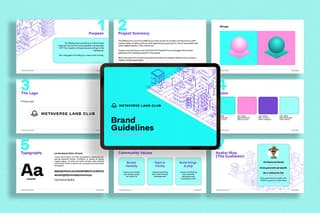
Include a mini brand guide right in your library:
- Logo do’s and don’ts: Clear space, minimum sizes, no distortions.
- Color usage: Primary on white, accents for CTAs.
- Typography rules: Heading font at 24pt+, body at 16pt.
Doing this will complement the deliverables from your branding design service and ensure the work stays true to form.
Step #6: Assign Ownership and Maintenance
Choose a “brand guardian” to handle updates. Rotate every now and then (quarterly or a few months). Decide on a timeline for reviewing the assets (every 3 or 6 months), archiving the oldies, and crafting new ones. Set specifics such as “No duplicates, flag for deletion” to maintain clarity.
Common Mistakes to Avoid
Now that you have your brand asset library, get your team to use it. Make it the single source of truth by pinning its link on your communication channels. Provide a quick walkthrough and integrate them into your marketing, sales, and social workflows. However, even the best libraries fall short without avoiding key pitfalls. Here’s what you need to steer clear of:
- Using too many folders overcomplicates things.
- Skipping updates and leaving outdated visuals.
- Unclear guidelines that allow off-brand tweaks.
- Too-tight access, no one will use them if they’re out of reach.
- Ignoring marketing and sales input, remember, they’re the real users of these assets.
Final Thoughts
Your brand identity is a crucial part of your business, and its consistency is what will make it powerful. Don’t give in to the chaos; build your brand asset library today. Work with a reliable branding design service to help you get polished assets while saving time and resources.
Watch Penji’s quick demo video here to learn how you can get amazing branding assets for your business for less. Click here to submit your first design request and get the first draft tomorrow!
FAQs
It depends, but usually it takes 2 to 4 hours for the audit and setup, and a day for the guidelines.
Many businesses use free tools like Notion or Google Drive, and they work well. If you’re on a budget, they will do, but if you like the bells and whistles, you’re also free to do so.
Yes. Use intuitive folders, one-page usage guides, and maybe a quick demo video to help your team use it.