










TL;DR: Here is a step-by-step guide on how you can use AI tools to come up with creative concepts for your content creation tasks.
Coming up with content creation ideas for your business can be an exciting and fun job, until you need to do it every week. One day you’re full of inspiration, the next your mind is a blank. If you’re wondering how you can produce fresh concepts every time, why not try AI? Graphic design with AI and modern generative design services can help you brainstorm ideas for your content creation tasks. Here’s a quick guide.
What a Creative Concept Really Is (Not Just an Idea)
Going beyond an idea, a creative concept combines a theme, a message, and an angle that tie everything together. It is the foundation of your campaign or content piece that makes execution consistent and memorable. A good example of this is “Before vs. After.”
This isn’t just a topic or idea, but a concept that sets a clear theme of transformation. It delivers a message that change is possible, while framing the angle of contrast.
Why Concepts Matter
- Consistency: It makes sure that your content has that unified look and feel across platforms.
- Design Execution: Graphic design services translate ideas into visuals based on these clear concepts.
- Scalability: Unlimited graphic design services rely on well-defined concepts as they allow them to produce variations without losing their focus.
- Innovation: Graphic design with AI is growing fast. Concepts serve as a guiding framework that keeps AI-generated ideas in line with your brand’s identity.
In essence, concepts keep creativity and execution aligned, giving your content direction. They make design more intentional and help AI tools deliver results that feel authentic instead of random.
Need designs with a human touch?
Get all the graphics you need with Penji

What are the Best AI Tools to Generate Creative Concepts?
The following are a few of the most common AI tools people use for generating creative concepts:
- ChatGPT/Claude: Suitable for campaign angles, scripts, hooks, and written content.
- Gemini: Best for brainstorming and outlining ideas.
- Jasper: Designed for content ideation that’s focused on marketing, such as ad copy and email campaigns.
- Notion AI: Suitable for organizing ideas into clear content plans and editorial calendars.
- Perplexity: Ideal for quick topic research and trend discovery when you need fresh perspectives.
- Midjourney/DALL-E/Canva AI: Perfect for turning your abstract concepts into mockups and visuals.
There are more, but these platforms are the basics. In addition, they’re not just standalone apps, but a big part of modern generative design services workflows. They enable you to move from concept to content faster and more effectively.
Step-by-Step Guide to Generate Better Concepts with AI
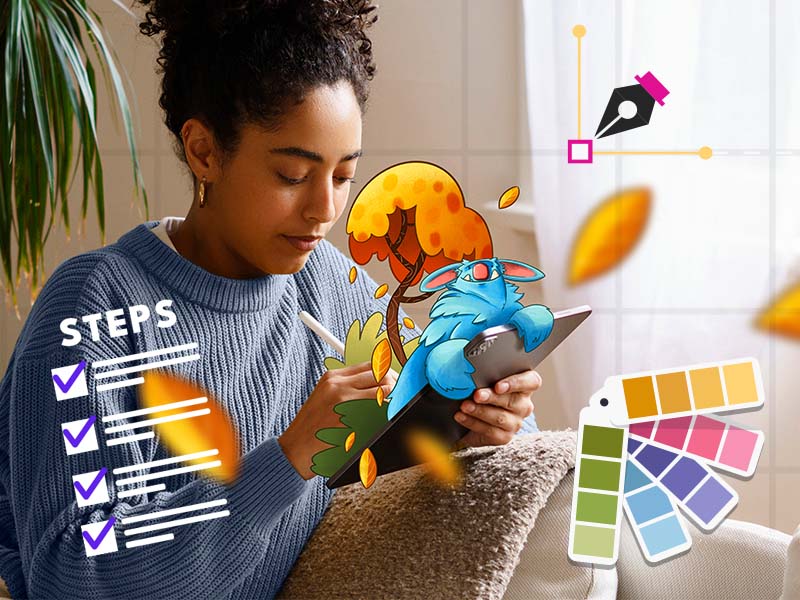
As promised, here is a quick step-by-step guide to generating creative concepts using AI:
Step 1: Start With Your Objective
Each of your creative concepts should start with a clear goal. Are you building awareness, sparking engagement, or strengthening retention?
- Awareness campaigns may focus on attention-grabbing themes.
- Engagement needs interactive hooks that invite conversation.
- Conversions require presuasive angles tied to offers.
- Retention flourishes on consistency and community-building.
When you have a defined goal, AI tools can generate ideas that align with measurable results and not random inspiration.
Step 2: Provide AI with the Right Context
AI works well when it understands the bigger picture. Feed it details that matter:
- Your brand voice: is it professional, playful, or friendly?
- Target audience: Who are you talking to, and what do they care about?
- Offer: What product, service, or campaign are you launching?
- Platform: Will this be for a blog, email, or social media?
When AI understands the context, it generates personalized output that will fit easily into your brand strategy.
Step 3: Don’t Ask for Topics, Ask for Angles
Bland results come from generic prompts. Instead, ask AI to deliver creative angles:
- “Write 10 bold hooks for our campaign on eco-friendly shoes.”
- “Give me 5 campaign themes for our product launch.”
- “Create a content series for blogs, videos, and social media from this idea.”
Asking for angles instead of topics allows you to get usable concepts that you can expand into campaigns and not just one-off projects.
Step 4: Get More from One Concept
Ask for one concept, then expand it into multiple formats:
- Blog post>Carousel>Ad Copy>Email>Short Video
At this stage, scaling becomes necessary. Reliable and strong graphic design services, whether through unlimited graphic design subscriptions or generative design services, can help you transform a single idea into cohesive designs across platforms. With AI-driven graphic design, you can quickly create mockups and variations while keeping your core concept intact.
A Few Effective AI Prompts (Steal These)
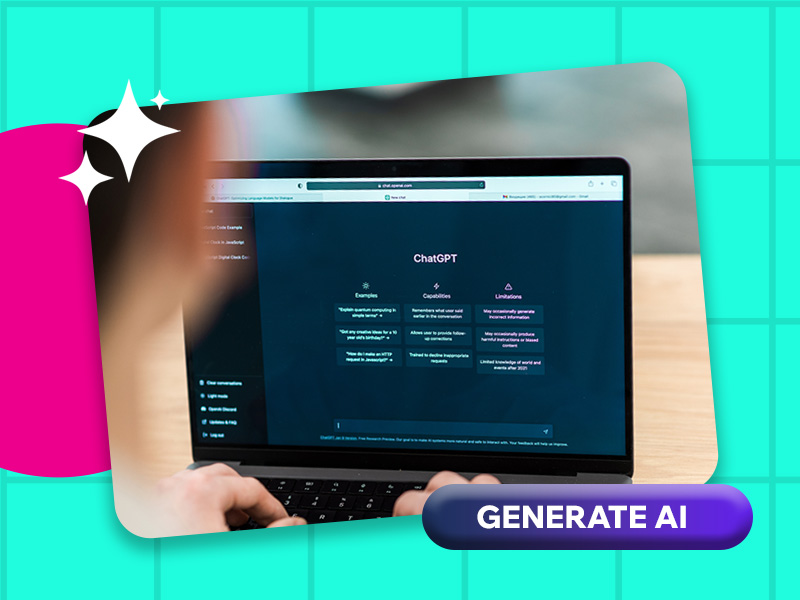
Effective results from your AI tool come from giving it the right prompts. Generic ideas will most probably come from vague requests. Here are a few effective prompts you can adapt now:
- “Generate 5 creative campaign concepts for a toothpaste brand that targets young adults.”
Ideal for brainstorming angles that aren’t just surface-level topics.
- “Give me 10 social media content angles that is fresh and not generic.”
Avoids repetitive posts and sparks ideas that differentiate you from crowded feeds.
- “Convert this idea into 8 scroll-stopping ad hooks.”
Suitable for paid campaigns where attention-grabbing copy is everything.
- “Craft a weekly content series concept for my ecommerce store.”
Ideal for long-term planning, ensures consistency.
- “Give me suggestions for content ideas that I can easily turn into visuals like Carousels and infographics.”
Perfect for scaling with graphic design services.
- “Expand this concept into a blog, email, or short video formats.”
An excellent way to test how you can stretch a single idea across multiple platforms.
Why These Prompts Work
These prompts push your AI tool to provide you with angles, formats, and campaign-ready ideas rather than vague topics. They give you concepts that are creative and ready to be executed visually and strategically.
Final Thoughts
If you want to brainstorm quickly and achieve more dynamic results, you need to incorporate AI into your processes. However, the real magic happens when you use human intervention when crafting your strategies and design. In short, the best workflow is using AI for ideation and humans for execution.
This is where Penji comes in. You can blend creativity with design expertise to transform your ideas into results. Watch our demo video here to learn how you can achieve the magic that is AI capabilities with human nuance. Alternatively, you can start by submitting your first design request via this link.
FAQs
AI will spark ideas, but graphic design services will turn them into polished visuals.
Absolutely not. The use of graphic design with AI is increasing, but it works well only as a support tool. Human designers bring strategy, taste, and brand understanding that AI can never do.
AI tools can accelerate ideation by generating multiple angles, campaign hooks, and formats instantly.
About the author

Celeste Zosimo
Celeste is a former traditional animator and now an SEO content writer specializing in graphic design and marketing topics. When she's not writing or ranking her articles, she's being bossed around by her cat and two dogs.






