









TLDR: Make LinkedIn ads that seem real by telling a clear story and focusing on the user. Use relatable images and high-quality, natural content to address real customer problems.
Professionals use LinkedIn to find useful information and make connections in their field. They quickly ignore anything that sounds like a loud, pushy sales pitch. To make ads that stand out in a feed full of professionals without being annoying, you need to plan ahead. You need campaigns that make promotion look like a really useful piece of content.
To find this balance, you need to rethink how you use visuals, copy, and your overall message. You need to give value right away while staying true to your brand.
Let’s go over exactly how to make campaigns that fit right in with the feed and get a lot of people to interact with them.
Step 1: Understand Why LinkedIn Ads Need to Feel Organic
People are tired of ads. They have learned to automatically scroll past graphics that are too polished and full of sales. When your ad looks like a huge corporate billboard, it makes people doubt it right away. Professionals on LinkedIn care more about being relevant and making real connections than about traditional marketing methods.
Real content builds trust right away. Content that fits in with the feed gets more clicks and keeps people interested longer. Knowing why being real is important is the first step in making your plan. Let’s figure out who you need to talk to right now.
Step 2: Know Your Audience
To make an organic ad, you first need to know who the professional is on the other side of the screen. You can’t talk to everyone at the same time. First, figure out who your exact target audience is. LinkedIn has powerful targeting tools that let you narrow down job roles, industries, and levels of seniority.
Next, look into the problems they have every day. Think about what problems they have at work that are unique to them. Find out exactly how your good or service gets rid of those problems. Finally, make sure your message is in a language they can understand. Use industry terms in a natural way and talk directly to their needs.
Now that you know who you’re talking to, it’s time to make the creative assets that will catch their eye.
Step 3: Key Elements of LinkedIn Ads That Don’t Look Like Ads
Your creative assets need to look and feel like real people sharing organic posts.
Visuals That Blend In
Don’t use stock photos that are too stiff or staged. These right away scream “advertisement.” Instead, use pictures that people can relate to, content made by users, or pictures taken behind the scenes.
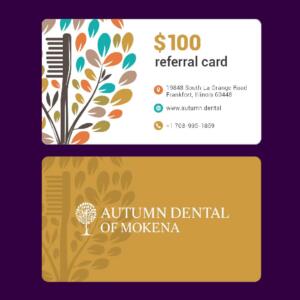
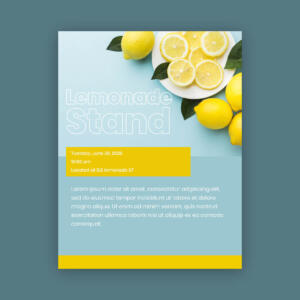
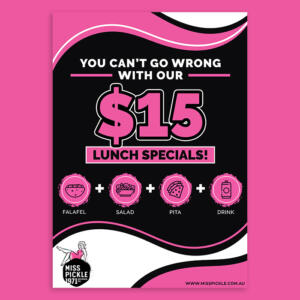
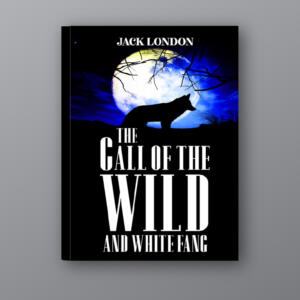
Make sure your designs are good quality but easy to understand. A lot of companies use professional ad design services to get this exact balance of quality and authenticity. Don’t forget to add accessibility features like alt text as well.
Crafting the Perfect Copy
Make sure your headlines are short and to the point. Try to keep it under 150 characters.
Talk like you would to a friend. Write like you’re giving a friend advice over coffee. This makes your message seem personal and interesting.
Storytelling in Ads
Put your solution in a story. A simple framework of problem-solution-transformation works great. Tell the viewer where they are now and where they could be after using your product.
Call-to-Action (CTA)
Your call to action should help the user without putting too much pressure on them. Pick options that are clear and not too salesy, like “Learn More,” “See How It Works,” or “Join the Conversation.”
Now that you know what your visual and written elements are, you need to pick the best way to get them to people.
Step 4: Choose the Right LinkedIn Ad Format
There are many formats available on LinkedIn. Making sure your format matches your campaign goals will make the user experience smooth.
| Ad Format | Best Used For | Key Benefit |
| Carousel Ads | Storytelling and showcasing multiple features | Encourages users to interact and swipe through your narrative. |
| Video Ads | Brand awareness and high engagement | Captures attention quickly. Keep videos under 30 seconds for maximum impact. |
| Lead Gen Forms | Simplifying the lead collection process | Auto-fills user data from their profile, removing friction. |
| Dynamic Ads | Highly personalized content | Uses LinkedIn profile data to speak directly to the individual user. |
Different formats are needed for different goals. Using the best ad design services makes sure that your assets look perfect in every format.
Choosing the right format is important, but you also need the right tools to make these assets over and over again.
Step 5: Tools to Streamline Ad Creation

To make more ads without losing quality, you need powerful tools and skilled workers.
LinkedIn’s Campaign Manager and other platforms make it easy to handle targeting, budgeting, and analytics. The process of making things visually, on the other hand, is often what slows things down the most.
Penji comes in here. Penji is a design as a service and gives you on-demand access to the best designers in the world. You can ask for as many ad designs as you want, be matched with a dedicated team, and get professional designs in one or two days.
Penji’s easy-to-use platform does away with complicated proposals. You get graphics that work well and are ready to use quickly, with no limits on how many times you can change them.
Having the right tools speeds up production, which gives you more time to measure and improve your results.
Step 6: Test and Optimize Your Ads
You can’t just guess. Your design choices must be based on data.
Test A/B
Always try out different versions of your ads. Make two versions of an ad, changing only one thing at a time. Try a new headline, change the main image, or use a different call to action.
Using LinkedIn’s analytics
Take a look at the numbers for your campaign. Keep a close eye on your click-through rate (CTR), engagement rate, and conversion rate. Change the ad’s look if people aren’t clicking on it. Change your landing page or lead gen form if you get a lot of clicks but not many conversions.
Optimization keeps your campaigns on point, but you still need to avoid some common mistakes.
Step 7: Mistakes that are Easy to Make
Even experienced marketers make mistakes that hurt their ads’ performance. Before you start your next campaign, keep this list close by:
- Overpolished designs: Stay away from graphics that look fake or too businesslike.
- Broad targeting: Make your audience groups very small.
- Ad fatigue: Change up your ads often. Don’t let the same ad run for months at a time.
- Don’t forget about accessibility: Always add captions to videos and alt text to images.
If you don’t make these mistakes, you’ll have an easier time reaching your goals. Let’s answer a few questions that are still on your mind.
Improve Your LinkedIn Strategy Today
To make LinkedIn ads that don’t look like ads, you need to use a smart mix of honesty, storytelling, and design that focuses on the user. You can cut through the noise and get people to engage with your content by focusing on what they need and giving them value through visuals that are natural and easy to relate to.
Stop accepting graphics that no one looks at. Work with a creative team that knows how to make things that sell.
Are you ready to see what the future of design looks like and improve your LinkedIn ads? Get your first great ad design from Penji in as little as 24 hours. Go to penji.co to get started.
Get a design package with unlimited graphic design
Try Penji risk-free for 30 days and get all your design projects done

FAQs
An organic ad doesn’t try to make a hard sale; instead, it tries to solve problems and give value. It uses conversational writing, real-life pictures, and stories to look like the posts that users see in their feeds.
Make your ad into a story. Start by pointing out a specific problem that your target audience has. Tell people that your product is the natural solution and show them how it will change their lives for the better.
It all depends on what you want to achieve. Use video ads to get people to know about your brand, carousel ads to tell a story step by step, and lead gen forms to get contact information with as little trouble as possible.
Of course. Penji offers a full range of Linked In ad design services for a flat monthly fee. You get a dedicated project manager, fast turnarounds, and unlimited revisions to make sure your LinkedIn ads work perfectly.
About the author

Je Ann Bacalso
Je Ann is a creative content writer who crafts engaging, SEO-friendly articles and web copy. With a passion for storytelling and a sharp eye for detail, she delivers clear, compelling content that connects with readers.
Table of Contents
- Step 1: Understand Why LinkedIn Ads Need to Feel Organic
- Step 2: Know Your Audience
- Step 3: Key Elements of LinkedIn Ads That Don’t Look Like Ads
- Step 4: Choose the Right LinkedIn Ad Format
- Step 5: Tools to Streamline Ad Creation
- Step 6: Test and Optimize Your Ads
- Step 7: Mistakes that are Easy to Make
- Improve Your LinkedIn Strategy Today
- FAQs






