










TL;DR: Figma is excellent for prototyping and creative direction. It’s not built for production at volume. Pairing it with a graphic design subscription service like Penji gives teams faster output, tighter brand consistency, and far less pressure on whoever manages the work.
Graphic design subscription services work alongside Figma by handling production-ready assets while your team focuses on wireframes and creative direction. The combination reduces turnaround time, keeps brand standards consistent across every deliverable, and removes the bottleneck that forms when one tool or one designer has to do everything.
Most design teams pick a tool and run everything through it. Figma handles the wireframes, the mockups, and the final production files, all at once, usually all by the same person. It works until it doesn’t.
Graphic design services at production scale require more than a single tool or a stretched internal designer. This post breaks down how to build a workflow that splits the work correctly between Figma and a graphic design subscription service, and why Penji belongs at the center of that setup.
Why Do Design Teams End Up Relying on Figma for Everything?
The short answer: Figma is genuinely good at a lot of things. It’s collaborative, it keeps stakeholders in the loop, and it makes iterating on a layout fast. When a team is small and the workload is manageable, running design out of Figma makes complete sense.
The problem shows up when volume increases. Forty social media assets, a refreshed ad set, and a new brand deck don’t wait for the same person who’s also prototyping the product UI.
When Figma becomes both the thinking space and the production floor, quality starts to drop.
On demand design services solve this problem directly. They take the production work off the plate of whoever manages creative direction, so Figma stays clean and output stays consistent.
What Does a Graphic Design Subscription Service Actually Cover?
A graphic design subscription service gives businesses access to a dedicated designer for a flat monthly fee. No hourly billing. No scope negotiations. Just a queue, a brief, and a turnaround.
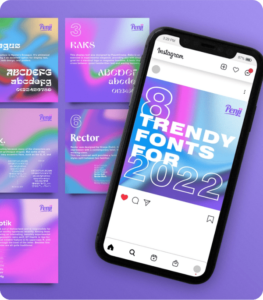
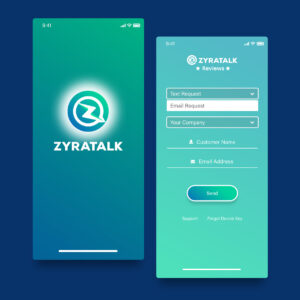
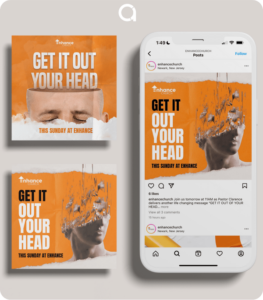
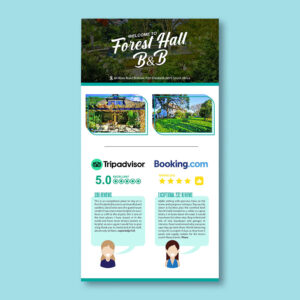
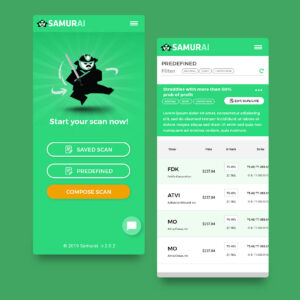
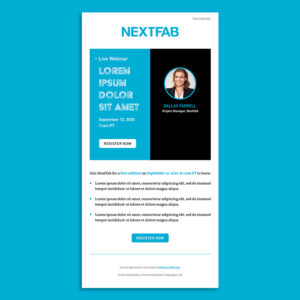
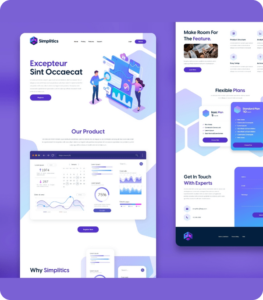
With Penji’s graphic design services, teams can submit requests across a wide range of categories:
- Social media graphics and ad creatives
- Brand identity elements and style guide assets
- Print materials and packaging files
- Presentations and pitch decks
- Display and paid media assets
Design as a service at this level is different from a one-off freelancer hire. The designer learns your brand over time. Briefs get faster to write. Output gets sharper with every round. That’s a compounding advantage a freelancer marketplace can’t replicate.
Professional design services by the world's top 1% designers
Unlimited graphic design at a flat monthly rate

How Do You Build the Combined Workflow Step by Step?
This is the practical part. Here’s how teams integrate Figma with a design subscription service in a way that holds up at scale.
Step 1: Use Figma for direction, not production
Wireframe your layouts, set the visual direction, and lock in brand parameters inside Figma. This is the thinking stage. Keep it there.
Step 2: Export your references
Export Figma frames, style guides, and asset specs as reference files. Include notes on colors, typography, spacing, and tone. The more detail in the brief, the faster the designer moves.
Step 3: Submit through the subscription platform
Upload your Figma exports and your brief to Penji. The platform handles designer assignment, progress tracking, and revision management.
Step 4: Review and approve
Your designer delivers production-ready files. Leave feedback inside the Penji dashboard, approve, and download. No email threads. No version confusion.
Step 5: Archive and repeat
Approved files go into your asset library. Figma stays clean because production work lives elsewhere. The loop repeats faster every time.
Which Tasks Belong in Figma and Which Go to Penji?
Not every decision is obvious. This table makes it easier.
| Task | Figma | Penji |
| Wireframing and prototyping | ✓ | |
| Social media graphics at volume | ✓ | |
| UI/UX design for development | ✓ | |
| Print-ready production files | ✓ | |
| Design system building | ✓ | |
| Paid media and display ads | ✓ | |
| Brand asset libraries | ✓ | |
| Stakeholder presentations | ✓ | ✓ |
The dividing line is simple: Figma handles thinking and iteration. Penji’s unlimited graphic design services handle output at scale. When both do what they’re built for, the whole workflow runs faster.
Are There Figma Alternatives Worth Considering?
Some teams explore Figma alternatives before committing to a workflow. Adobe XD integrates tightly with Creative Cloud. Sketch still has a strong following among Mac-based design teams. Canva gives non-designers a faster path to simple graphics.
None of them change the core problem. The tool you use for creative direction doesn’t eliminate the need for production capacity.
A Marq Brand Consistency Report found that consistent brand presentation can increase revenue by up to 33%. Getting there requires a team that can produce consistently, not just a tool that looks good in a browser tab. That’s what a Penji design as a service subscription actually provides.
Conclusion
Why Penji is the right subscription to pair with Figma?
Because Penji isn’t the only graphic design subscription service on the market. It’s the right one for teams using Figma.
The Penji subscription model is built for structured, brief-driven workflows. That maps directly to how Figma teams operate. You provide the direction; Penji delivers the output.
Turnaround on most requests runs 24 to 48 hours. Designers are vetted before they touch a client project. The platform tracks revisions without the email chain.
When your Figma files give designers the direction they need, and your subscription team has the depth to deliver at volume, the whole creative operation improves across the board.
Teams that figure out the Figma-plus-subscription setup early stop running their creative operations at a fraction of capacity. Figma asks: what should this look like? A service like Penji answers: here it is, production-ready, on time.
That split, done right, is what a scalable graphic design subscription service workflow actually looks like.
See what Penji can do for your brand’s creative output. Browse plans and start your first request today.
Frequently Asked Questions
Yes. Penji designers work from client-supplied references, and Figma exports make for clean, detailed briefs. Share your frames, style notes, and any relevant specs when you submit a request. The more context you provide upfront, the less back-and-forth you’ll need before reaching an approved final file.
Penji covers production design across most business categories, including social media graphics, display ads, brand identity assets, presentations, print materials, and more. Most requests are delivered within one to two business days. If it’s production work that doesn’t require direct developer integration, it fits within the Penji subscription model.
For ongoing production volume, yes. Freelancers are a good fit for specialized Figma work like building a design system or prototyping a new product. For recurring output at scale, a flat-rate subscription gives you more predictability, faster turnaround, and a designer who already knows your brand. Penji delivers that without the overhead of a full-time hire.
Figma is a design tool. A subscription service is a team. Figma helps you plan, prototype, and communicate a visual direction. A service like Penji turns that direction into production-ready deliverables. The two solve different problems, and the best creative workflows use both.
About the author

Flore
Flore’s passionate about turning ideas into clear, useful content that connects with people and performs on search. From blog posts and landing pages to full content plans, her work is grounded in purpose and always aligned with a bigger picture.
Table of Contents
- Why Do Design Teams End Up Relying on Figma for Everything?
- What Does a Graphic Design Subscription Service Actually Cover?
- How Do You Build the Combined Workflow Step by Step?
- Which Tasks Belong in Figma and Which Go to Penji?
- Are There Figma Alternatives Worth Considering?
- Conclusion
- Frequently Asked Questions






