









TL;DR: Looking for a Canva alternative that scales with your business? This guide compares 10 professional design platforms from unlimited graphic design services like Penji to UI/UX-focused tools, to help you find the best fit.
According to recent research by Figma for the year 2025, 92 percent of business leaders see the need for all their employees to have at least basic design skills. This speaks to the importance of design and the level at which effective communication using visual media is essential for all businesses.
For this reason, tools like Canva have vastly improved the ability for non-designers to generate effective marketing images, presentations, and other branded content. However, Canva has its limitations, and eventually, your business might find itself in a position where a more professional tool is necessary.
The best professional Canva alternative should offer advanced features and benefits that Canva lacks, which makes it easier and more efficient to design, as well as collaborate with your teams. In this article, we will explore some of the strengths and weaknesses of Canva for professionals while also introducing how we determined the top alternatives and the best value.
What Does Canva Do Well?
Canva is an impressive platform that has revolutionized the design world. Its drag-and-drop functionality is extremely easy for anyone, even beginners, to quickly generate professional output.
Features like brand kits, asset libraries, and integration with social media make it so that solopreneurs and small teams can easily create products and marketing materials that are visually consistent and eye-catching.
Where Does Canva Fall Short for Professionals?
Canva’s simplicity often comes with frustrations when used by professionals. The subscription plans have become increasingly complex and expensive as features are added to the platform.
Additionally, its lack of advanced features like vector editing, layer management, typography controls, and reliance on templates means it does not always provide the best quality output or maintain originality.
Canva’s collaboration features are also lacking as well as its integration with other software, and its limitations in file output formats make it less appealing for growing businesses that require specialized needs.
How Did We Test These Canva Alternatives?
Our team vetted all of these personally to make sure they were up to professional standards. We assessed for ease of use, feature parity (vector tools, layers), and collaboration tools like real-time editing and rollbacks. We considered integrations with other apps (Adobe Suite, Slack) and the pricing clarity and value. We even tested customer support! We scoured design communities for feedback to ensure our selections align with true professional needs.
What Are the Top Canva Alternatives?
Here are the ten platforms that topped our evaluation:
- Penji – Best for unlimited graphic design requests
- Adobe Express – Best for Adobe ecosystem integration
- Figma – Best for UI/UX and collaborative design
- Affinity Designer – Best one-time purchase alternative
- Visme – Best for presentations and data visualization
Each platform excels in different areas, so the best choice depends on your specific needs.
How Do These Canva Alternatives Compare?
| Platform | Pricing Model | Best Use Case | Key Strengths |
| Penji | Subscription | Unlimited design requests | Professional designers, fast turnaround |
| Adobe Express | Free/Paid tiers | Adobe users | Ecosystem integration, advanced features |
| Figma | Free/Paid tiers | UI/UX design | Real-time collaboration, prototyping |
| Affinity Designer | One-time purchase | Vector design | No subscription, powerful tools |
| Visme | Free/Paid tiers | Presentations | Interactive content, data visualization |
This comparison chart helps you quickly identify which tool aligns with your priorities. Now let’s dive deeper into each option.
Which Canva Alternative Offers Unlimited Graphic Design Services?
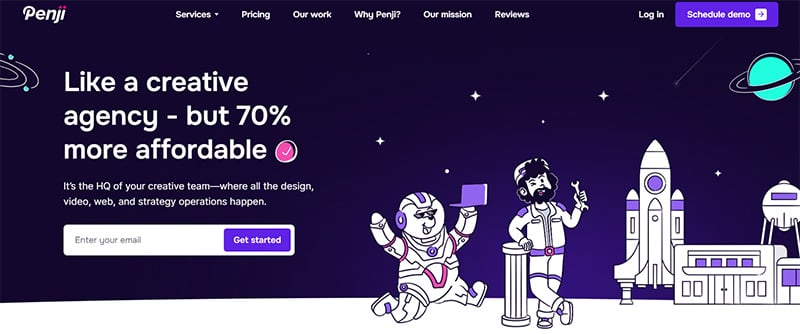
Penji provides a different model: it’s a graphic design subscription service rather than software. You submit requests, and the designers send them back. It has unlimited requests and revisions too. Instead of struggling with the software, you have the professionals do it so you can focus on strategy.
The turnaround time is also around 24-48 hours. The team gets to know your brand over time, so you get brand consistency in your designs. It covers everything you need, from social media to website stuff. Penji is the best Canva alternatives for businesses that want high-quality, consistent design work but don’t want to hire the team in-house. Unlike Canva, where you are limited to the designs and your abilities, you have access to professional designers. The quality and speed and the unlimited revisions will help results-oriented teams get the most out of their designs.
What’s the Best Canva Alternative for Adobe Users?
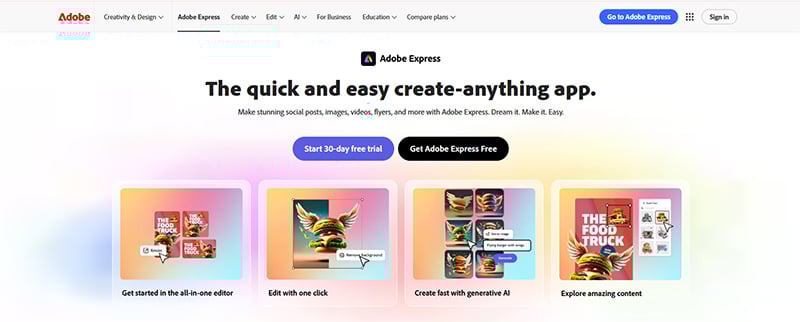
Adobe Express (formerly Adobe Spark) is a simplified version of Adobe software. If you use other Adobe Creative Cloud products, you can’t beat this option. You get a lot of integrations with other Adobe products like Photoshop and Illustrator that save you time.
Adobe Express comes with as many templates as Canva does but with advanced design features like professional rendering and typography. Its team collaboration features allow your team to share Brand Kits and build projects and presentations together, which simplifies the review process. There is an excellent free version, but the premium plan gives you access to tons of stock assets and advanced features; it is the best option for teams that use Adobe products.
Which Platform Is Best for UI/UX and Collaborative Design?
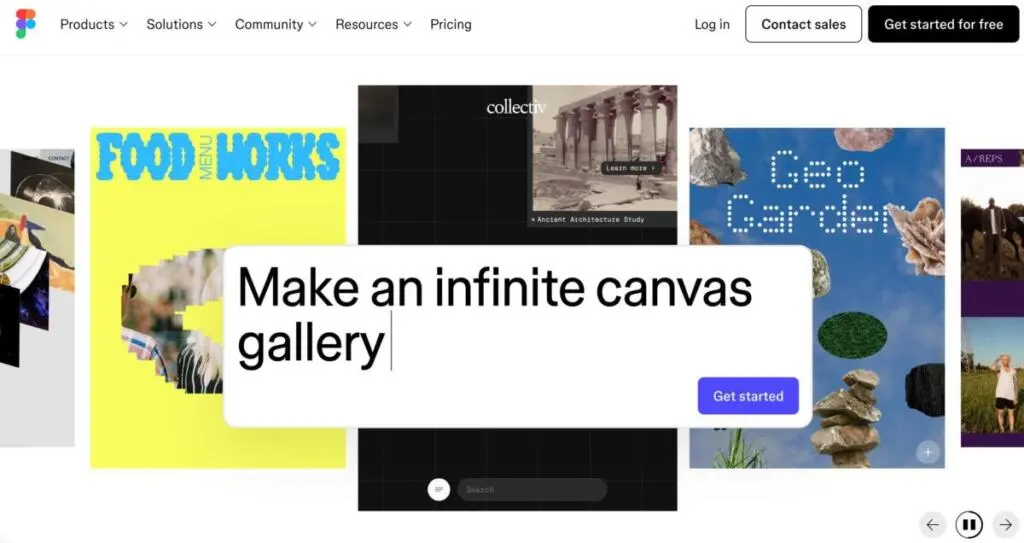
Figma is the best graphic design tool for UI/UX with its industry-leading real-time collaboration features. Multiple users can work on the same project and see changes as they are made; it’s game-changing for design teams.
Its prototyping features let you build working prototypes that stakeholders can use to provide feedback, which far exceeds what static prototypes can show. The developer handoff process is perfect, with Figma generating CSS code for developers and allowing them to inspect the designs in the app. Figma has great version control and component libraries, so it works well for teams of all sizes. It is free for individuals, but paid plans have more advanced features that make them suitable for serious design work.
Is There a Good One-Time Purchase Alternative to Canva?
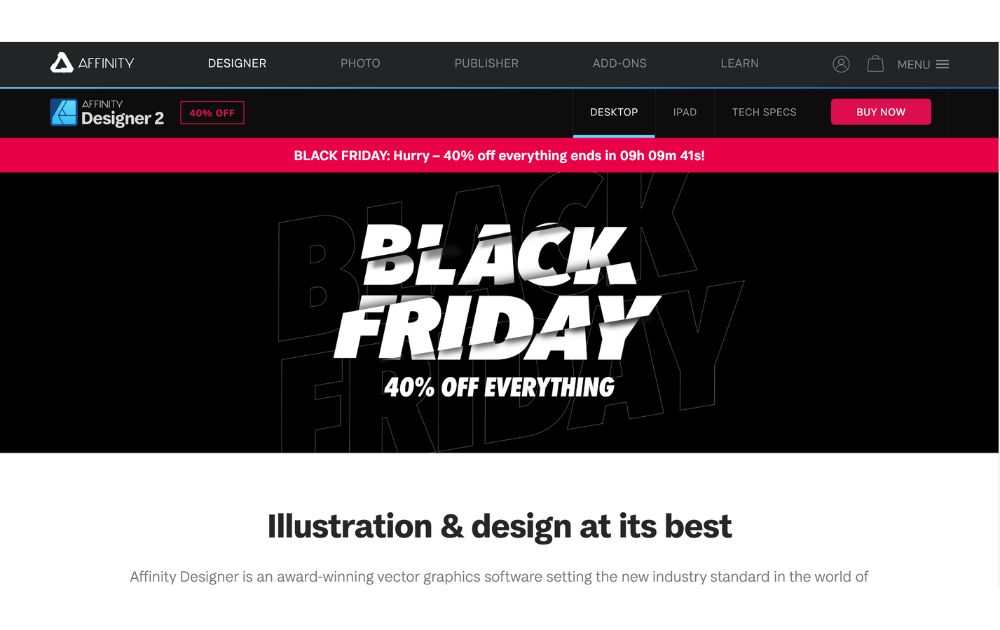
Affinity Designer lets you purchase professional-level graphic design software for a one-time fee so you will own it forever. If you need serious vector editing software, Affinity Designer is an excellent option with a professional interface that is easy to learn.
It lets you do vector editing like Adobe Illustrator. Affinity Designer supports both raster and vector design workflows in one app rather than two, so you don’t have to switch between programs. It runs perfectly on older machines and does not require an internet connection. This is not a lightweight app, so it has a steeper learning curve than Canva, but it is easier than Illustrator. The purchase price (around $70) is extremely affordable compared to subscriptions if you expect to use it long-term.
What’s the Best Alternative for Presentations and Data Visualization?
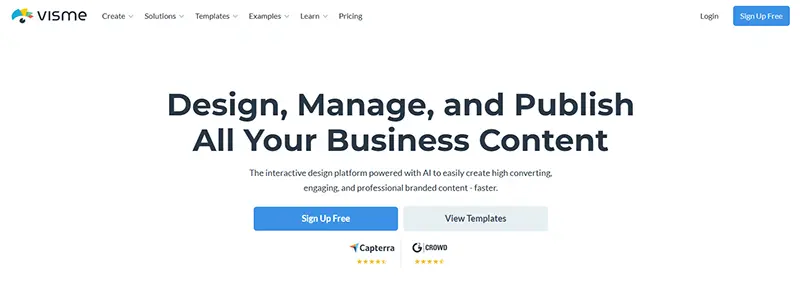
Visme is the best design tool for presentations, infographics, and data visualization. It was built for visualizing data in order to show powerful insights.
You can import data into charts that automatically update, plus you can add interactive elements and even video content; this is not just a simple presentation. It has highly advanced animation features and many templates geared toward businesses. It also has an analytics dashboard that shows how viewers interact with content. There is a free version, but paid tiers unlock more project features, which is worth it if your team uses it regularly.
How Should You Choose the Right Canva Alternative?
Choosing graphic design software will depend on multiple variables:
Budget is one of the most important considerations. Free versions like Lunacy are great for individuals, but subscription services are good for teams needing that extra level of functionality. Design services like Penji allow for unlimited design work for a monthly fee, which is an excellent value if your time is valuable. One-time purchase options like Affinity designer are also extremely affordable in the long term.
Use case is also an important consideration, as social media marketers may need templates or scheduling capabilities while UI/UX design teams need prototyping capabilities. If you have a lot of design requests but don’t have the budget or don’t want to hire designers, consider a subscription service.
Your collaboration needs will increase with team size so look for options that allow real-time editing but also commenting and version history.
Integration capabilities will also improve your productivity, so look for software that integrates with your existing software (like Slack or Figma).
Ready to Find Your Perfect Canva Alternative?
Canva is an excellent design tool, but if you have a growing team or business, you may need something deeper or with professional support.
Finding the best alternative to Canva will depend on your use case, team size, or how much you have to spend on graphic design tools.
If you are part of a team that needs high-quality consistent design work but does not want to do the work themselves; look no further than graphic design services like Penji. You will get access to professional designers and unlimited revisions with quick turnaround times so you can remove bottlenecks from your workflow.
Are you ready to improve your designs? Check out Penji’s unlimited graphic design services and discover how our team can transform your projects. Sign up for Penji today!
Boost your business with unlimited graphic design
Try Penji risk-free for 30 days & get unlimited custom designs





Frequently Asked Questions
Is Adobe Express better than Canva?
It depends. Adobe Express has the advanced features and integration with Adobe’s professional offerings, making it perfect for someone already in the Adobe ecosystem. Canva is still easier for non-designers creating simple marketing materials.
Which Canva alternative is best for UI/UX design?
Figma is the only real answer and the industry standard. Its real-time collaboration and prototyping and dev hand-off features are unmatched. Adobe XD is also a good option, especially if you’re invested in Adobe tools.
Are there free Canva alternatives for professionals?
Certainly. Lunacy is a completely free professional vector tool. Figma also has a very generous free tier and you can use it for many professional projects. Many of these free alternatives do have limitations, such as smaller asset libraries, so consider if those will impact your work.
What’s the most budget-friendly Canva alternative?
This will depend on your use of the tool. If you only use it occasionally, free tools are your best option. If you have a steady stream of work, a subscription-based service like Penji will provide a better return on your investment by saving you time and improving your finished products. When evaluating budget options, keep in mind how much time you and your team are spending on these designs. For someone really strapped for cash, Crello offers a budget-friendly alternative to Canva.
About the author

Je Ann Bacalso
Je Ann is a creative content writer who crafts engaging, SEO-friendly articles and web copy. With a passion for storytelling and a sharp eye for detail, she delivers clear, compelling content that connects with readers.
Table of Contents
- What Does Canva Do Well?
- Where Does Canva Fall Short for Professionals?
- How Did We Test These Canva Alternatives?
- What Are the Top Canva Alternatives?
- How Do These Canva Alternatives Compare?
- Which Canva Alternative Offers Unlimited Graphic Design Services?
- What’s the Best Canva Alternative for Adobe Users?
- Which Platform Is Best for UI/UX and Collaborative Design?
- Is There a Good One-Time Purchase Alternative to Canva?
- What’s the Best Alternative for Presentations and Data Visualization?
- How Should You Choose the Right Canva Alternative?
- Ready to Find Your Perfect Canva Alternative?
- Frequently Asked Questions






